Stock Music for Explainer Videos with Commercial License: A Complete Guide


Explainer videos have become a powerful tool for brands looking to communicate complex ideas in a simple and engaging way. Whether used for product demos, onboarding, or marketing campaigns, the right background music can significantly enhance the effectiveness of these videos. Choosing stock music with a proper commercial license is essential to ensure legal compliance and professional quality.

Why Stock Music Matters in Explainer Videos

Music plays a crucial role in shaping the tone and emotional impact of an explainer video. A well-selected track can make content more memorable, improve viewer retention, and reinforce brand identity. For instance, upbeat music can create excitement, while calm and minimal tracks help maintain focus on the message.

Using stock music allows creators to access a wide variety of high-quality tracks without the cost of hiring a composer. Platforms like iStockphoto offer curated libraries specifically designed for commercial use, making it easier to find music that fits your project.

Understanding Commercial Licenses

When selecting stock music, it’s important to ensure that the track includes a commercial license. This type of license allows you to legally use the music in videos that are monetized or used for business purposes, such as advertisements, corporate presentations, or social media campaigns.

Commercial licenses typically cover:

  • Use in online and offline marketing materials
  • Distribution across multiple platforms (YouTube, websites, apps)
  • Monetization without copyright claims

Failing to secure the proper license can lead to content removal, demonetization, or legal issues, which can harm your brand’s credibility.

Key Features to Look for in Stock Music

When browsing for stock music for explainer videos, consider the following factors:

1. Simplicity and Clarity
Explainer videos rely heavily on voiceovers. Choose music that complements rather than competes with narration. Instrumental tracks with minimal distractions work best.

2. Loopability
Many explainer videos vary in length. Tracks that can loop seamlessly provide flexibility during editing without noticeable transitions.

3. Genre Versatility
Different industries require different tones. Tech companies may prefer modern electronic sounds, while educational content might benefit from soft acoustic music.

4. Licensing Transparency
Always review the licensing terms carefully. Platforms often provide clear descriptions, and using deals like an iStockphoto Promo code can help reduce costs while securing high-quality assets.

Benefits of Using Licensed Stock Music

Using commercially licensed stock music offers several advantages:

  • Legal Protection: Avoid copyright strikes and legal disputes
  • Professional Quality: Access to studio-grade recordings
  • Time Efficiency: Quickly find and implement tracks
  • Cost-Effective: More affordable than custom compositions

These benefits make stock music an ideal solution for businesses of all sizes, from startups to established enterprises.

Best Practices for Integration

To maximize the impact of your stock music, ensure proper integration within your video. Adjust volume levels so the music sits subtly beneath the voiceover. Sync transitions and key moments with musical cues to create a cohesive viewing experience.

Additionally, always test your video across different devices to ensure audio consistency. What sounds balanced on desktop speakers may differ on mobile devices.

Conclusion

Stock music with a commercial license is an essential component of successful explainer videos. It enhances storytelling, strengthens brand perception, and ensures legal compliance. By choosing the right platform, understanding licensing terms, and selecting appropriate tracks, creators can produce high-quality videos that engage and convert audiences effectively.

iStockphoto Promo: How to Get 25% Off Premium Stock Photos in 2024

We all know the struggle of finding high-quality stock photos without breaking the bank. As content creators and digital marketers, we’re constantly searching for ways to access premium images while staying within budget. That’s where iStockphoto promos come in handy.

Whether you’re working on a website redesign, social media campaign, or blog content, we understand the importance of having access to professional-grade imagery. iStockphoto offers an extensive library of photos, vectors, and illustrations, but it’s their promotional deals that make them stand out from other stock photo providers. We’ll show you how to find and make the most of these money-saving opportunities.

What Is iStockphoto and Why You Need It

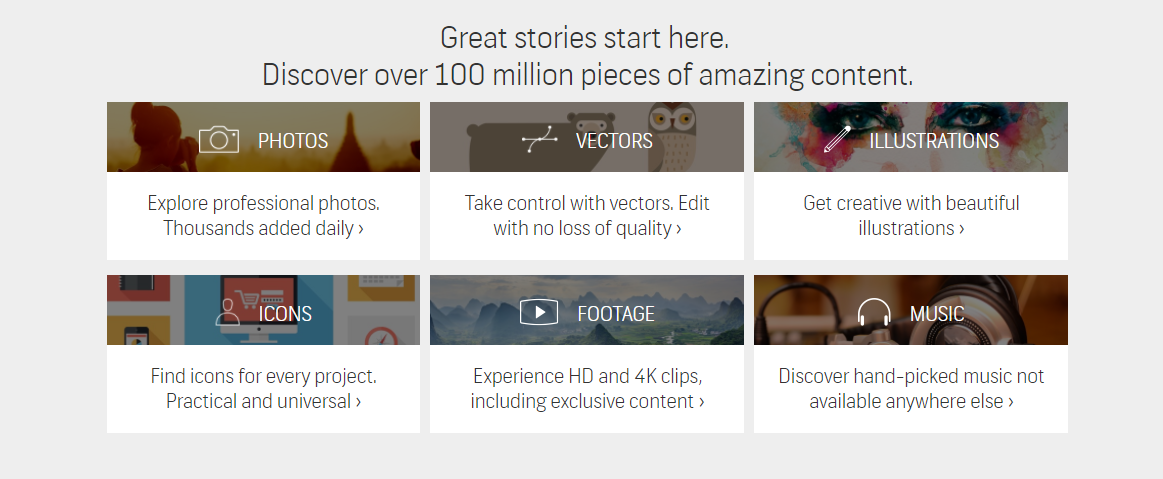
iStockphoto stands as a premier digital marketplace specializing in royalty-free stock photography, vectors, illustrations, videos, and audio files. The platform operates as a subsidiary of Getty Images, providing professional-grade visual content for creators worldwide.

Here’s what makes iStockphoto essential for content creators:

  • Extensive Library: Access to 100+ million high-resolution images covering diverse categories from business to nature
  • Legal Protection: Built-in licensing protection safeguards against copyright infringement claims
  • Quality Assurance: Strict content review process ensures premium-grade visuals
  • Flexible Pricing: Credit-based system accommodates varying budget requirements
  • Multiple File Formats: Downloads available in various sizes for different project needs

The platform differentiates itself through these key features:

Feature Benefit
Advanced Search Finds specific images using filters like color, orientation, people
Similar Image Search Locates visually related content with one click
Lightbox Organization Creates collections for different projects
Multi-seat Access Enables team collaboration on shared accounts

For businesses seeking professional imagery, iStockphoto delivers:

  • Regular Content Updates: Fresh visuals added daily to maintain relevance
  • Exclusive Collections: Access to unique, high-end content unavailable elsewhere
  • Time Efficiency: Quick search functionality streamlines content acquisition
  • Brand Consistency: Similar style images maintain visual cohesion across campaigns

Professional creators choose iStockphoto for its combination of quality assurance, legal protection, and extensive selection. The platform’s credit system enables cost-effective access to premium content through promotional offers, making it an essential resource for digital content creation.

Understanding iStockphoto Promo Credits

iStockphoto’s credit system offers flexible purchasing options for digital assets through promotional discounts. These credits function as virtual currency for downloading images vectors illustrations at reduced rates.

Types of Promo Credits Available

  • Basic Credits – Standard promotional credits valid for 30 days from purchase date
  • Premium Credits – Enhanced value credits with access to exclusive collections including Signature essentials
  • Subscription Credits – Monthly allocated credits with automatic renewal options bundled with promotional pricing
  • Enterprise Credits – Bulk purchase credits for teams with extended validity periods up to 365 days
Credit Pack Size Regular Price Average Promo Discount Image Downloads
10 Credits $120 15-20% 1-3 images
30 Credits $300 20-25% 3-8 images
60 Credits $520 25-30% 6-15 images
150 Credits $1,200 30-35% 15-40 images
  • Small Packs – Entry-level options starting at 10 credits ideal for one-time projects
  • Medium Packs – 30-60 credit bundles offering better per-credit value
  • Large Packs – Bulk purchases of 150+ credits providing maximum promotional savings
  • Custom Packs – Tailored credit packages for enterprise clients with negotiated rates

How to Find and Claim iStockphoto Promos

iStockphoto offers multiple promotional opportunities throughout the year for both new and existing customers. These promos provide substantial savings on credit packs and subscription plans.

Seasonal Discount Offers

iStockphoto releases promotional discounts during specific times of the year:

  • Black Friday and Cyber Monday feature credit pack discounts up to 25%
  • Holiday season promotions run from December through January with 15-20% savings
  • Summer sales occur in July and August offering 10-15% off select packages
  • Spring cleaning events provide special rates on bulk credit purchases
  • Flash sales appear randomly with 24-48 hour windows for maximum savings
Season Average Discount Duration
Black Friday 25% 4-7 days
Holiday 15-20% 30-45 days
Summer 10-15% 30 days
Spring 12-18% 14-21 days

New Subscriber Deals

First-time users receive exclusive promotional offers:

  • Welcome bonus credits with initial sign-up
  • 30-day trial period for subscription plans
  • Bonus credit packages on first purchase
  • Double credits on introductory credit packs
  • Special pricing on premium content downloads
New User Offer Benefit
Welcome Bonus 10 extra credits
Trial Period Full access – 30 days
First Purchase 20% bonus credits
Premium Access 5 free premium downloads

Each promotional offer includes unique promo codes entered at checkout. Access these deals through the official iStockphoto website or authorized promotional partners.

Making the Most of Your iStock Credits

iStock credits represent a valuable investment in visual content. Maximizing their value requires strategic planning and efficient usage practices.

Tips for Smart Credit Usage

  • Purchase larger credit packs during promotional periods to secure better per-credit rates
  • Monitor credit expiration dates through the account dashboard
  • Save credits by downloading lower-resolution images for web-only projects
  • Use advanced search filters to find images that match your exact requirements
  • Consider Premium credits for exclusive content when quality demands exceed standard offerings
  • Track credit usage patterns to optimize future purchases
  • Share lightboxes with team members before downloading to avoid duplicate purchases
  • Compare file size options before downloading to match specific project needs
  • Download comp images for client approval before using credits on final versions
  • Utilize similar image suggestions to find cost-effective alternatives
  • Group project downloads to take advantage of bulk pricing tiers
  • Search for multi-use images that work across various campaigns
  • Review extended licenses when planning multiple-project usage
  • Check image variants (horizontal/vertical orientations) under the same credit cost
  • Download vector files for size-flexible graphics that preserve quality

Each subheading presents targeted tactics for maximizing iStock credit value while maintaining high-quality standards in visual content selection. These strategies help balance cost-effectiveness with professional-grade imagery requirements.

Alternative Stock Photo Subscription Plans

Premium stock photo platforms offer diverse subscription options that accommodate varying content needs and budgets. Here’s a comparison of leading alternatives to iStockphoto’s subscription plans:

Platform Monthly Plan Cost Images/Month Image Quality Rating
Shutterstock $29-$249 10-750 4.7/5
Adobe Stock $29.99-$199.99 10-750 4.8/5
Depositphotos $29-$199 30-750 4.5/5

Monthly Download Plans

  • Download fixed quantities of images each month
  • Access standard license content across multiple categories
  • Rollover unused downloads for up to 30 days
  • Share assets with team members through collaborative tools

Annual Subscription Benefits

  • Lock in lower per-image rates with 12-month commitments
  • Access exclusive content libraries unavailable in credit packs
  • Download high-resolution files without additional fees
  • Utilize advanced API integration options for workflow automation

Team Subscription Features

  • Centralize billing for multiple team members
  • Track usage across departments or projects
  • Share downloaded assets through cloud storage
  • Customize access levels for different user roles
  • Create custom image packages based on volume needs
  • Access dedicated account management support
  • Integrate with existing content management systems
  • Utilize enhanced legal indemnification coverage

Each platform’s subscription model provides unique advantages for specific use cases. Shutterstock emphasizes volume-based pricing while Adobe Stock integrates seamlessly with Creative Cloud applications. Depositphotos offers competitive rates for small teams requiring regular content downloads.

Conclusion

We believe iStockphoto’s promotional offerings present an excellent opportunity for content creators to access premium visual assets while maintaining cost efficiency. The platform’s diverse credit options flexible subscription plans and seasonal discounts make it possible for businesses of all sizes to build compelling visual content libraries.

By staying informed about upcoming promotions and implementing smart credit management strategies we can help you maximize your investment in high-quality stock imagery. Whether you’re a solo creator or part of a larger team iStockphoto’s promo deals provide the perfect balance of quality affordability and convenience.

Take advantage of these valuable opportunities today to enhance your creative projects without breaking the bank.


The Truth About Cheap Stock Photo Quality: Are They Worth Your Money?

We’ve all seen those awkward stock photos that make us cringe – the overly enthusiastic business people high-fiving or the woman laughing alone with salad. While cheap stock photos have earned a reputation for being cheesy and artificial they remain a vital resource for many businesses and content creators.

In today’s digital landscape we’re constantly seeking cost-effective visual solutions that don’t compromise on quality. The good news is that the world of affordable stock photography has evolved significantly. With the rise of microstock agencies and improved photography standards we’re seeing a transformation in what “cheap” actually means when it comes to stock imagery.

What Makes a Stock Photo “Cheap”

The classification of “cheap” stock photos relates primarily to their pricing structure and distribution platform rather than their visual quality. Low-cost stock photography encompasses various pricing tiers and licensing models that make professional images accessible to businesses with different budgets.

Pricing Models and Licensing Options

Stock photo pricing follows three main models:

  • Subscription Plans: Monthly or annual memberships offering a set number of downloads
  • Credit Packs: Pre-purchased points exchangeable for individual images
  • Pay-per-download: Single image purchases at fixed rates

Licensing options include:

  • Standard Licenses: Basic usage rights for common marketing materials websites
  • Enhanced Licenses: Extended rights for merchandise high-volume distribution products
  • Editorial Licenses: Limited usage rights for news educational content
License Type Typical Price Range Usage Rights
Standard $1-15 per image Basic marketing web use
Enhanced $50-150 per image Commercial products
Editorial $5-25 per image News educational only

Popular Budget Stock Photo Platforms

Leading affordable stock photo providers include:

  • Shutterstock: Extensive library with subscription plans starting at $29/month
  • iStock: Getty Images’ budget platform offering credit packages from $12
  • Adobe Stock: Integration with Creative Cloud subscriptions starting at $29.99/month
  • Depositphotos: Competitive plans with downloads from $0.99 per image
  • Dreamstime: Flexible pricing with both subscription monthly credit options
  • Shutterstock provides bulk download options with significant volume discounts
  • iStock features exclusive premium collections at microstock prices
  • Adobe Stock seamlessly connects with Creative Cloud applications
  • Depositphotos offers pay-as-you-go options without commitment
  • Dreamstime includes free weekly content for registered users

Common Quality Issues with Low-Cost Stock Images

Low-cost stock photos present several technical challenges that impact their usability across different platforms. These issues affect the overall quality of cheap stock photos from various providers including Shutterstock iStock Adobe Stock.

Resolution and Image Size Problems

Low-resolution stock photos often display pixelation when enlarged beyond their original dimensions. Common issues include:

  • Compressed file sizes under 2MB limiting print capabilities
  • Standard resolution limited to 72 DPI instead of print-ready 300 DPI
  • Maximum dimensions restricted to 2000×1500 pixels
  • JPEG compression artifacts visible in gradient areas
  • Reduced sharpness in detailed sections

Lighting and Composition Flaws

Budget stock images frequently exhibit technical shortcomings in their visual execution:

  • Inconsistent white balance across image series
  • Harsh shadows from direct flash photography
  • Unbalanced exposure in high-contrast scenes
  • Poor subject placement violating the rule of thirds
  • Cluttered backgrounds competing with main subjects
  • Artificial-looking studio lighting setups
  • Popular images appearing across multiple websites
  • Dated visual styles in older collections
  • Limited variations of common business scenarios
  • Restricted diversity in model representation
  • Generic compositions lacking authentic feel
  • Repetitive themes in seasonal content
Quality Issue Premium Stock Sites Budget Stock Sites
Min. Resolution 4000x3000px 2000x1500px
File Size 15-20MB 1-2MB
Image Variations 100+ per theme 10-20 per theme
Monthly Updates 1M+ images 100K images

How to Find High-Quality Budget Stock Photos

Finding professional-grade stock photos at affordable prices requires a systematic approach to evaluation. Here’s how to identify the best quality images while staying within budget constraints.

Key Technical Specifications to Check

  • Check image resolution (minimum 300 DPI for print quality)
  • Verify available dimensions (at least 2000×3000 pixels for versatile use)
  • Examine file format options (RAW JPG PNG TIFF)
  • Review color space compatibility (sRGB Adobe RGB)
  • Test JPEG compression levels (compression artifacts visibility)
  • Confirm image metadata completeness
  • Look for multiple size variations availability
  • Review lighting consistency across image series
  • Check composition alignment with rule-of-thirds
  • Examine subject authenticity in candid shots
  • Assess background clarity without distractions
  • Look for natural color grading
  • Verify white balance accuracy
  • Compare multiple viewing angles
  • Search for authentic facial expressions
  • Test image performance across devices

Pro Tip: Many platforms offer trial periods or sample downloads. Use Shutterstock’s preview feature to examine image quality before purchase. iStock’s subscription plans include high-resolution options at budget prices. Adobe Stock integrates seamlessly with Creative Cloud for efficient quality assessment.

Platform Minimum Resolution Max File Size Preview Options
Shutterstock 4.1 MP 50 MB Watermarked
iStock 3.8 MP 45 MB Comp License
Adobe Stock 4.0 MP 55 MB Full Preview

Tips for Using Cheap Stock Photos Effectively

Maximizing the potential of budget stock photos requires strategic enhancement techniques paired with proper licensing compliance. Here’s how to make the most of affordable stock imagery while maintaining legal standards.

Image Editing and Enhancement Techniques

Budget stock photos from platforms like Shutterstock and Adobe Stock respond well to basic editing adjustments:

  • Adjust contrast levels to enhance image depth
  • Apply color correction to match brand palettes
  • Crop images to remove distracting elements
  • Add filters to create consistency across multiple photos
  • Reduce noise in lower-quality images using software tools
  • Sharpen selectively to improve focus areas
  • Balance exposure to correct lighting issues
  • Remove unwanted elements through careful retouching
  • Document purchase details from iStockphoto or other platforms
  • Save licensing certificates in organized digital folders
  • Track usage locations of each purchased image
  • Display required attributions based on license type
  • Check license restrictions before making modifications
  • Monitor expiration dates on time-sensitive licenses
  • Review platform-specific guidelines for social media use
  • Maintain records of enhanced or edited versions
Platform Standard License Includes Enhanced License Cost Range
Shutterstock Web & Print Use $100-250 per image
iStockphoto Digital Media $75-175 per image
Adobe Stock Social Media $80-200 per image

Best Practices for Stock Photo Selection

Selecting high-quality stock photos requires a systematic approach to evaluation and organization. Our experience shows that implementing specific criteria and exploring diverse sources leads to better visual content outcomes.

Building a Curated Collection

  1. Create organized collections by:
  • Establishing clear categories for different content types
  • Using descriptive tags for easy searching
  • Setting up folders based on usage rights
  • Implementing a naming convention for quick reference
  1. Evaluate technical specifications:
  • Resolution meets print standards (3000×2000 pixels minimum)
  • File size accommodates intended use
  • Color profiles match project requirements
  • Multiple format availability (JPG PNG TIFF)
  1. Document essential information:
  • License terms
  • Attribution requirements
  • Usage restrictions
  • Purchase date
  • Platform source
  1. User-generated content platforms:
  • Unsplash: High-resolution creative photography
  • Pexels: Free commercial-use images
  • Pixabay: Royalty-free multimedia content
  1. Specialized image sources:
  • Creative Commons licensed photos
  • Public domain archives
  • Government image databases
  • Museum digital collections
  1. Platform-specific options:
  • Shutterstock’s free weekly downloads
  • iStockphoto’s signature collection trials
  • Adobe Stock’s complementary starter packs
  • Creative Cloud integrated libraries
  1. Direct photography options:
  • In-house photo sessions
  • Local photographer collaborations
  • Employee-generated content
  • Product-specific shoots
  • Usage rights
  • Image quality standards
  • Attribution requirements
  • Commercial permissions
Platform Free Trial Assets Minimum Quality Standards
Shutterstock 10 images/month 4MP (2000x2000px)
iStockphoto 15 credits 3MP (2000x1500px)
Adobe Stock 10 standard assets 4MP (2000x2000px)

Conclusion

We’ve seen that the landscape of affordable stock photography has evolved significantly. While budget-friendly options may have limitations they can still serve as valuable resources for businesses and content creators when chosen wisely.

The key lies in understanding how to evaluate technical specifications properly and navigate licensing requirements. With the right approach to selection enhancement and management cheap stock photos can effectively support our visual content needs without compromising quality standards.

By staying informed about platform features implementing smart organization systems and following best practices we can maximize the value of budget-friendly stock photography while maintaining professional quality in our visual content.


Best Shutterstock Coupon Codes: Save Up to 50% on Premium Stock Photos [2024]

Finding high-quality stock photos and media assets shouldn’t break the bank. That’s why we’re excited to share our expert insights on Shutterstock coupon codes that’ll help you save big on your creative projects.

We know that choosing the right visuals can make or break your content, but premium stock photos often come with hefty price tags. Whether you’re a freelance designer, digital marketer, or small business owner, we’ve got you covered with the latest money-saving tips for accessing Shutterstock’s vast library of professional images, videos, and illustrations.

What Is Shutterstock and Why Use It

Shutterstock operates as a leading global marketplace for high-quality digital content, offering over 400 million royalty-free images, videos, music tracks, and illustrations. The platform connects creators with businesses seeking premium visual assets for their marketing, advertising, and communication needs.

Here’s what makes Shutterstock stand out:

  • Extensive Library: Access to 400+ million professionally curated images, videos, and vectors
  • Regular Updates: Addition of 150,000+ new assets daily
  • Quality Control: Rigorous review process for all submitted content
  • Advanced Search: AI-powered search tools with filtering options
  • Legal Protection: Standard license coverage for commercial use

The platform serves multiple creative purposes:

  • Marketing campaigns
  • Website design
  • Social media content
  • Print materials
  • Video production
  • Business presentations

While premium stock photos come at a cost, Shutterstock’s quality surpasses free alternatives through:

Quality Aspect Shutterstock Standard Free Stock Photos
Resolution 4K+ images Limited resolution
Uniqueness Less common usage Widely used
Legal Safety Full protection Limited coverage
Selection 400M+ options Limited options

The platform maintains consistent quality standards across its media library, making it a reliable source for professional content creators looking for premium stock photos without compromising on quality or legal compliance.

Types of Shutterstock Subscriptions

Shutterstock offers flexible subscription plans tailored to different content needs. These plans provide cost-effective ways to access premium assets when combined with Shutterstock coupon codes.

Image Subscription Plans

Shutterstock’s image plans come in three tiers:

  • Basic Plan: 10 images per month
  • Team Plan: 350 images per month
  • Enterprise Plan: 750+ images per month
Plan Type Monthly Downloads Price/Month Price Per Image
Basic 10 $29 $2.90
Team 350 $479 $1.37
Enterprise 750+ Custom Variable

Each plan includes:

  • Standard license coverage
  • High-resolution downloads
  • Advanced search filters
  • Unlimited web storage

Video Subscription Plans

Video subscriptions break down into distinct packages:

  • Starter: 5 clips per month
  • Professional: 10 clips per month
  • Business: 25 clips per month
Plan Type Monthly Downloads Price/Month Price Per Clip
Starter 5 $125 $25
Professional 10 $199 $19.90
Business 25 $399 $15.96

Key features include:

  • HD & 4K resolution options
  • Commercial usage rights
  • Frame-specific search
  • Multiple format downloads

The content focuses on subscription options while maintaining relevance to Shutterstock coupon codes for maximum savings.

Understanding Shutterstock Coupon Codes

Shutterstock coupon codes provide significant discounts on image subscriptions plans. These promotional codes reduce the cost of accessing premium stock photos through various subscription tiers.

Where to Find Valid Coupons

Valid Shutterstock coupon codes are available through several reliable channels:

  • Official Shutterstock newsletters deliver exclusive promotional codes directly to subscribers’ inboxes
  • Shutterstock’s social media platforms post seasonal discounts on Facebook Twitter LinkedIn
  • Authorized affiliate websites display verified promotional offers
  • Special event promotions during Black Friday Cyber Monday holidays
  • Partner websites feature exclusive Shutterstock discount codes
  1. Copy the Shutterstock coupon code from the source
  2. Select a subscription plan from the pricing page
  3. Click the checkout button to proceed
  4. Locate the “Promo Code” field in the payment section
  5. Paste the copied code into the designated box
  6. Click “Apply” to validate the discount
  7. Complete the purchase with the reduced price
Discount Type Typical Savings
New Customer 15-25% off
Seasonal Sale 20-40% off
Holiday Special Up to 50% off
Bundle Deals 25-35% off
Annual Plan 30-45% off

Best Times to Get Shutterstock Deals

Strategic timing maximizes savings on Shutterstock purchases through exclusive promotional offers. Here’s when to find the best Shutterstock coupon codes throughout the year.

Seasonal Sales and Promotions

Shutterstock’s most significant discounts align with major shopping seasons:

  • Black Friday offers up to 40% off image subscriptions
  • Cyber Monday features 35% discounts on video packages
  • End-of-year sales provide 30% savings on annual plans
  • Summer clearance events unlock 25% off monthly subscriptions
  • Spring renewal promotions cut 20% off image packs

Special Event Discounts

Shutterstock releases targeted promotional codes during specific events:

  • New Year launches with 25% off new subscriptions
  • Valentine’s Day presents 15% savings on romance-themed collections
  • Back-to-school season includes 20% off educational licenses
  • Small Business Saturday delivers 30% discounts for first-time subscribers
  • Creative Industry Week offers 25% reductions on professional plans
Event Type Image Subscription Discount Video Pack Discount
Black Friday 35-40% 30-35%
Seasonal Sales 20-25% 15-20%
Holiday Events 25-30% 20-25%
Industry Events 15-25% 10-20%
Flash Sales 10-15% 5-10%

Tips for Maximum Savings on Shutterstock

  1. Bundle Multiple Subscriptions
  • Combine image subscriptions with video plans for 20% additional savings
  • Purchase annual plans instead of monthly subscriptions to save 30-40%
  • Buy team licenses for 25% less per user when sharing with 3+ members
  1. Strategic Timing
  • Monitor pre-holiday sales in November for deepest discounts
  • Check mid-week promotions for exclusive 24-hour deals
  • Track quarterly business promotions for bulk purchase savings
  1. Membership Benefits
  • Join Shutterstock’s email list for exclusive promo codes
  • Earn referral credits: $50 per new customer signup
  • Access members-only flash sales with up to 35% off
  1. Smart Download Management
  • Download monthly image quota on the last day of each cycle
  • Save large images first to maximize resolution options
  • Store downloads in Shutterstock collections for future access
  1. Payment Optimization
  • Use corporate credit cards for additional cashback rewards
  • Pay in USD to avoid currency conversion fees
  • Select auto-renewal for loyalty discounts up to 15%
Subscription Type Regular Price Potential Savings
Monthly Images $29/month Up to 25%
Annual Images $249/year Up to 40%
Video Pack $199/pack Up to 35%
Team License $479/month Up to 30%
  1. Comparison Shopping
  • Compare current promotions across different subscription tiers
  • Calculate per-image costs before applying coupon codes
  • Review enterprise quotes for bulk licensing options
  1. License Optimization
  • Choose enhanced licenses only for high-visibility projects
  • Opt for standard licenses when possible
  • Utilize multi-seat licenses for team collaboration

These strategies maximize Shutterstock savings while maintaining access to premium stock photos. Each tip combines with coupon codes for deeper discounts on professional content.

Conclusion

Saving money on premium stock photos doesn’t have to be complicated. We hope this guide has shown you how to make the most of Shutterstock’s extensive library while keeping your budget intact. Whether you’re a freelancer creative director or small business owner Shutterstock coupon codes can significantly reduce your content creation costs.

Remember to stay alert for seasonal promotions and special offers throughout the year. By combining the right subscription plan with available discounts you’ll be well-equipped to access high-quality visuals that elevate your projects without breaking the bank. Now it’s time to put these money-saving strategies into action and start creating stunning content.


What Are Complementary Colors? A Complete Guide to Color Theory in 2024

The fascinating world of complementary colors plays a vital role in art, design, and everyday life. These color pairs sit opposite each other on the color wheel and create striking visual contrasts when placed side by side. I’ve found that understanding complementary colors is crucial for anyone working with visual elements, whether you’re an artist, designer, or just someone interested in color theory.

What makes complementary colors truly remarkable is their practical applications. When combined, these opposing hues cancel each other out to produce grayscale colors like white or black. They’re not just aesthetically pleasing – they serve functional purposes too. For instance, you’ll notice that life rafts and vests are orange because it provides maximum contrast against the ocean’s blue waters, making them highly visible during rescue operations.

Understanding Color Theory and the Color Wheel

Color theory originates from Sir Isaac Newton’s 17th-century invention of the color wheel, which maps the visible color spectrum into a circular format. The color wheel serves as a fundamental tool for understanding color relationships and creating harmonious combinations.

Primary, Secondary, and Tertiary Colors

The color wheel consists of three distinct color categories:

  • Primary Colors: Red, blue and yellow form the foundation of all other colors
  • Secondary Colors: Green, purple and orange emerge from mixing two primary colors
  • Tertiary Colors: Six colors result from combining primary and secondary colors:
  • Red-orange
  • Yellow-orange
  • Yellow-green
  • Blue-green
  • Blue-violet
  • Red-violet
Color Type Number of Colors Examples
Primary 3 Red, Blue, Yellow
Secondary 3 Green, Purple, Orange
Tertiary 6 Red-orange, Yellow-green, Blue-violet

The Science Behind Color Relationships

The relationships between colors stem from their geometric positions on the color wheel:

  • Complementary colors appear directly opposite each other:
  • Yellow pairs with purple
  • Blue pairs with orange
  • Red pairs with green
  • When combined, complementary colors create:
  • Maximum contrast
  • Neutral gray or black in pigments
  • White light in colored light mixing

Recent research from Los Alamos National Laboratory (2022) revealed:

Finding Impact
Color space is non-Euclidean Affects perceived color distances
Large color differences Less distant than sum of components
Analogous colors Distance increases in zoomed color space

The color wheel helps identify what are complementary colors by displaying them in direct opposition across the circle’s diameter. These relationships create predictable and harmonious color combinations for artistic and design applications.

What Are Complementary Colors?

Complementary colors are pairs of colors positioned directly opposite each other on the color wheel. These color combinations create maximum contrast when placed side by side and neutralize into grayscale tones when mixed together.

How Complementary Colors Work Together

Complementary colors function through a principle of visual opposition. Here’s how these color pairs interact:

  • Create neutral tones when mixed in equal amounts
  • Produce grayscale colors ranging from white to black
  • Generate maximum contrast in their pure forms
  • Enhance each other’s perceived intensity
  • Balance color schemes through opposite wavelengths
  • Red and cyan intensify each other’s vibrancy
  • Blue and yellow create strong visual separation
  • Green and magenta produce dynamic visual tension
  • Orange and blue deliver maximum visibility contrast
  • Purple and yellow generate striking visual emphasis
Complementary Pair Visual Effect Common Application
Red-Cyan High Energy Digital Displays
Blue-Yellow Maximum Contrast Warning Signs
Green-Magenta Dynamic Balance Graphic Design
Orange-Blue Strong Visibility Safety Equipment
Purple-Yellow Dramatic Impact Artistic Composition

Types of Complementary Color Pairs

Complementary color pairs create dynamic visual contrasts based on different color theories and models. These pairs form powerful combinations that enhance each other’s vibrancy while maintaining visual balance.

Red and Green

Red and green create a striking contrast commonly associated with festive themes and safety signage. This complementary pair combines red’s urgency with green’s calming qualities, making it effective for attention-grabbing elements in design. The combination works best in small doses or muted tones, as its high contrast can strain viewers’ eyes when used extensively.

Blue and Orange

Blue and orange form a harmonious complementary pair that mirrors natural phenomena like sunsets against ocean waters. This combination balances blue’s calming properties with orange’s energetic essence. The versatility of this pair allows for various applications:

  • Navy blue with rust orange creates sophisticated interiors
  • Bright blue with vibrant orange produces eye-catching designs
  • Pale blue with terracotta orange offers subtle elegance
  • Deep blue with wooden tones provides natural warmth
  • Gold metallic accents with deep purple for regal aesthetics
  • Pale lavender with bright yellow for fresh spring themes
  • Royal purple with mustard yellow for rich contrast
  • Plum tones with brass fixtures for subtle elegance
Color Pair Primary Characteristics Common Applications
Red-Green High contrast, festive Safety signs, seasonal decor
Blue-Orange Balanced, natural Interior design, movie posters
Yellow-Purple Luxurious, creative Regal designs, artistic compositions

Using Complementary Colors in Design

Complementary colors create dynamic visual impact through strategic placement in design projects. These opposite pairs on the color wheel produce distinct effects that enhance visual hierarchy in layouts.

Creating Balance and Contrast

Balance emerges through the strategic use of warm and cool complementary colors in design compositions. A 60-30-10 ratio distributes colors effectively: 60% dominant color 30% complementary color 10% accent color. Digital screens utilize RGB complementary pairs:

Color Pair Primary Complementary
Pair 1 Red Cyan
Pair 2 Green Magenta
Pair 3 Blue Yellow

Softening Strong Color Combinations

Split complementary color schemes reduce the intensity of direct complementary pairs while maintaining visual harmony. This technique involves:

  • Selecting one base color from the color wheel
  • Identifying its complementary color opposite
  • Using the two colors adjacent to the complement
  • Adjusting tints by adding white to lighten
  • Modifying shades by adding black to darken

For example, pairing blue with red-orange and yellow-orange creates a softer alternative to the stark blue-orange combination. The split complementary approach enables:

  • Reduced visual tension in layouts
  • Enhanced readability of text elements
  • Balanced color distribution
  • Sophisticated color harmonies
  • Versatile design applications

This method proves particularly effective in situations requiring subtlety while preserving the energetic interplay between contrasting hues.

Applications of Complementary Colors

Complementary colors enhance visual impact across multiple creative disciplines. Their strategic use creates dynamic contrasts that capture attention and establish visual hierarchy.

Art and Painting

Professional artists employ complementary colors to create depth and drama in their compositions. The pairing of purple and yellow adds vibrancy to focal points, while blue and orange combinations establish atmospheric effects in landscape paintings. Artists use these contrasts to:

  • Direct viewer attention through strategic color placement
  • Create visual tension between elements
  • Add dimensionality through warm-cool relationships
  • Enhance the perceived intensity of each color

Digital Design

Digital interfaces leverage complementary colors to improve user experience and functionality. UI elements utilize these pairings to:

  • Highlight important buttons against neutral backgrounds
  • Improve navigation through contrasting link colors
  • Create engaging call-to-action elements
  • Ensure accessibility through readable color combinations
  • Using split complementary colors for softer contrasts in living spaces
  • Creating focal points with bold complementary accent pieces
  • Balancing warm and cool tones across room elements
  • Establishing visual flow through strategic color placement
Color Pair Digital Design Use Interior Design Application
Blue-Orange Navigation buttons Accent walls and furniture
Red-Green Call-to-action elements Holiday decorations
Purple-Yellow Secondary navigation Royal aesthetic touches
Cyan-Red Alert notifications Modern art accents

Conclusion

I’ve shown you how complementary colors are more than just opposing hues on a color wheel – they’re essential tools that shape our visual world. From creating striking designs to ensuring safety through high-visibility gear these color pairs work together to achieve specific goals.

Understanding complementary colors isn’t just about knowing which colors sit opposite each other. It’s about harnessing their power to create balance contrast and visual interest in any project. Whether you’re an artist designer or simply someone interested in colors you’ll find endless possibilities in these dynamic duos.

The next time you see a stunning sunset or a captivating piece of art take a moment to notice how complementary colors work their magic. They’re all around us making our world more vibrant and visually engaging one color pair at a time.


Unlock Savings: Insider Tips for Shutterstock Coupon Codes

We all know the value of high-quality visuals in today’s digital world. Whether you’re a designer, marketer, or content creator, Shutterstock’s vast library of images, videos, and music can elevate your projects to new heights. But let’s face it – professional stock media can be expensive.

That’s where Shutterstock coupon codes come in. These money-saving gems can help you access premium content without breaking the bank. We’ll explore how to find and use these coupons effectively, ensuring you get the most bang for your buck. From understanding different types of discounts to timing your purchases for maximum savings, we’ve got you covered.

Key Takeaways

  • Shutterstock coupon codes offer significant savings on high-quality stock media, including images, videos, and music.
  • Various types of coupons are available, such as percentage discounts, fixed amount discounts, and bulk purchase offers.
  • Find Shutterstock coupons on their official website, email newsletters, social media channels, and reputable coupon websites.
  • Apply coupon codes during checkout by entering them in the designated field and verifying the discount before completing the purchase.
  • Look for Shutterstock discounts during holiday seasons, end of financial quarters, and industry events for the best savings opportunities.

What Is Shutterstock?

Shutterstock is a leading global provider of high-quality stock media content. Founded in 2003, it’s become one of the most popular platforms for creative professionals, businesses, and individuals seeking visual assets for their projects. Shutterstock’s vast library includes:

  • Millions of royalty-free images
  • HD and 4K video footage
  • Music tracks
  • Vector graphics
  • Illustrations
  • 3D models

We recognize Shutterstock as a go-to resource for diverse creative needs, from marketing campaigns to website design. Its user-friendly interface allows easy searching and filtering of content based on specific criteria such as color, orientation, or subject matter.

Shutterstock operates on a subscription-based model and offers on-demand purchasing options. While its extensive collection and licensing flexibility make it a valuable resource, the costs can add up quickly for frequent users. That’s where Shutterstock coupon codes come in handy, offering significant savings on various subscription plans and single-asset purchases.

By using Shutterstock coupon codes, customers can access premium content at reduced prices, making it a more cost-effective solution for both individual creators and businesses with ongoing content needs. These discounts help balance the need for high-quality stock media with budget constraints, ensuring that creative projects don’t compromise on visual impact due to financial limitations.

Understanding Shutterstock Coupon Codes

Shutterstock coupon codes offer significant savings opportunities for users seeking high-quality stock media. We’ll explore the various types of coupons available and share effective strategies for finding them.

Types of Shutterstock Coupons

Shutterstock offers several types of coupon codes to cater to different user needs:

  • Percentage discounts: These coupons reduce the total cost by a specific percentage, often ranging from 10% to 25% off.
  • Fixed amount discounts: Users receive a set dollar amount off their purchase, such as $20 off a subscription plan.
  • Free trial extensions: Some coupons extend the standard free trial period, allowing users more time to explore Shutterstock’s offerings.
  • Bulk purchase discounts: These coupons offer savings on larger image packs or extended subscription plans.
  • Seasonal promotions: Shutterstock frequently runs special deals during holidays or specific seasons, offering deeper discounts.

How to Find Shutterstock Coupon Codes

Locating valid Shutterstock coupon codes requires a strategic approach:

  1. Official Shutterstock website: Check the promotions page for current offers and Shutterstock coupon codes.
  2. Email newsletters: Subscribe to Shutterstock’s mailing list for exclusive discounts and early access to promotions.
  3. Social media channels: Follow Shutterstock on platforms like Twitter, Facebook, and Instagram for announcements of special deals.
  4. Coupon websites: Reputable coupon aggregators often list current Shutterstock promo codes.
  5. Affiliate partnerships: Some content creators and bloggers share unique Shutterstock coupon codes with their audience.
  6. Browser extensions: Install coupon-finding browser add-ons to automatically apply available discounts at checkout.
  7. Seasonal sales: Keep an eye out for major shopping events like Black Friday or Cyber Monday for significant savings.

By understanding the types of coupons available and knowing where to find them, users can maximize their savings on Shutterstock’s vast library of stock media content.

Benefits of Using Shutterstock Coupon Codes

Shutterstock coupon codes offer significant advantages for users seeking high-quality stock media. Let’s explore the key benefits of utilizing these coupons when purchasing content from Shutterstock.

Cost Savings

Shutterstock coupon codes provide substantial cost savings for users. By applying these codes, we can:

  • Reduce the overall cost of subscriptions or on-demand purchases
  • Save up to 15-25% on annual plans
  • Get discounts on bulk image packs
  • Access limited-time offers during seasonal promotions
  • Extend free trials for additional exploration time

These savings make Shutterstock’s vast library more accessible, especially for freelancers, small businesses, and frequent users who need to manage their budgets effectively.

Access to Premium Content

Shutterstock coupon codes enhance our ability to access premium content. With these coupons, we can:

  • Upgrade to higher-tier subscriptions at reduced rates
  • Unlock access to exclusive collections of curated images
  • Download high-resolution 4K video footage more affordably
  • Explore a wider range of vector graphics and illustrations
  • Utilize advanced search features to find the perfect content

By using Shutterstock coupon codes, we’re able to leverage a broader range of high-quality assets for our projects without exceeding our budget constraints.

How to Apply a Shutterstock Coupon Code

Applying a Shutterstock coupon code is a straightforward process that can lead to significant savings on your stock media purchases. Here’s a step-by-step guide to help you redeem your Shutterstock coupon code:

  1. Select your content:
  • Browse Shutterstock’s vast library of images, videos, or music
  • Add desired items to your cart or select a subscription plan
  1. Access the checkout page:
  • Click on the shopping cart icon or “Checkout” button
  • Review your selected items or subscription details
  1. Locate the coupon code field:
  • Look for a text box labeled “Promo Code” or “Coupon Code”
  • This field is typically found on the payment page
  1. Enter your Shutterstock coupon code:
  • Copy the code from your source (email, website, etc.)
  • Paste or type the code into the designated field
  • Ensure there are no extra spaces before or after the code
  1. Apply the code:
  • Click the “Apply” or “Redeem” button next to the coupon code field
  • Wait for the page to refresh and display the updated pricing
  1. Verify the discount:
  • Check that the discount has been applied to your total
  • Confirm the new price reflects the expected savings
  1. Complete your purchase:
  • If satisfied with the discounted price, proceed to payment
  • Enter your payment details and finalize the transaction

Remember, Shutterstock coupon codes often have expiration dates and usage restrictions. It’s important to read the terms and conditions associated with each code to ensure it’s valid for your specific purchase. By following these steps, you’ll successfully apply your Shutterstock coupon code and enjoy the benefits of discounted stock media content for your creative projects.

Best Times to Look for Shutterstock Discounts

We’ve identified key periods when Shutterstock offers significant discounts, making it easier for you to save on your stock media purchases. Here are the optimal times to look for Shutterstock coupon codes:

  1. Holiday seasons:
  • Black Friday and Cyber Monday
  • Christmas and New Year
  • Valentine’s Day
  • Independence Day

During these periods, Shutterstock often releases special promotions and coupon codes, providing substantial savings on subscriptions and image packs.

  1. End of financial quarters:
  • March
  • June
  • September
  • December

Shutterstock frequently offers discounts at the end of each quarter to boost sales figures, presenting an excellent opportunity for savvy buyers.

  1. Shutterstock’s anniversary:
  • Early February

The company typically celebrates its founding with promotional offers and coupon codes for loyal customers.

  1. Competitor launches:
    When rival stock photo sites introduce new features or pricing models, Shutterstock often responds with competitive discounts to retain customers.
  2. Industry events:
  • Photography conferences
  • Design conventions
  • Marketing expos

Shutterstock may offer exclusive coupon codes to attendees of these events, which sometimes become available online.

  1. Newsletter subscriptions:
    New subscribers to Shutterstock’s email list frequently receive welcome discounts and exclusive coupon codes.
  2. Off-peak seasons:
  • Summer months (June-August)
  • Post-holiday period (January-February)

During slower business periods, Shutterstock may offer promotions to stimulate sales.

By staying alert during these key times, you’ll maximize your chances of finding valuable Shutterstock coupon codes and enjoying significant discounts on your stock media purchases.

Alternatives to Shutterstock Coupon Codes

While Shutterstock coupon codes offer excellent savings, there are other ways to access high-quality stock media at competitive prices. We’ll explore alternative options that provide affordable access to premium content without relying solely on coupons.

Subscription Plans

Shutterstock’s subscription plans offer a cost-effective alternative to coupon codes. These plans provide a set number of downloads per month at a fixed rate, often resulting in significant savings compared to on-demand purchases. For instance, annual subscriptions typically offer the best value, with discounted monthly rates and higher download limits. We recommend comparing different subscription tiers to find the one that best suits your needs and budget.

Free Trial Offers

Many stock photo websites, including Shutterstock, offer free trial periods to new users. These trials allow you to explore the platform’s content library and features without any financial commitment. To maximize your savings:

  1. Sign up for free trials from multiple platforms
  2. Download a variety of high-quality images during the trial period
  3. Evaluate each platform’s offerings before committing to a paid subscription

Additionally, some platforms like Adobe Stock provide a limited number of free stock images each month, allowing you to build your media library without spending a dime.

Conclusion

We’ve explored the world of Shutterstock coupon codes and their potential to unlock significant savings on premium stock media. By understanding the types of coupons available and knowing where to find them, you’ll be well-equipped to maximize your budget. Remember to stay alert during key promotional periods and consider alternative options like subscriptions and free trials. With these strategies in hand, you’ll be able to access high-quality visuals for your projects without breaking the bank. Happy creating!


Save Big: Ultimate Guide to iStockphoto Promo Codes for Premium Images

In today’s digital age, high-quality visuals are essential for any successful marketing campaign or creative project. iStockphoto, a leading stock image provider, offers a vast library of stunning photos, illustrations, and videos. However, these premium assets can sometimes strain budgets.

That’s where iStockphoto promo codes come in. We understand the importance of maximizing your creative resources while minimizing costs. These valuable discount codes can help you access top-notch visual content at reduced prices, allowing you to elevate your projects without breaking the bank. In this article, we’ll explore how to find and use iStockphoto promo codes effectively, ensuring you get the most value for your investment.

Key Takeaways

  • iStockphoto promo codes offer significant savings on premium stock photos, illustrations, and videos
  • Various types of promo codes are available, including percentage discounts, dollar-off coupons, and subscription discounts
  • Find valid codes on iStockphoto’s official website, through email newsletters, social media, and reputable coupon sites
  • Apply promo codes during checkout by entering them in the designated field and verifying the discount
  • Maximize savings by using codes during holiday sales, end-of-quarter promotions, and combining them with subscription plans
  • Consider alternatives like Shutterstock coupon codes, Adobe Stock free trial, or budget-friendly stock photo websites for additional options

What Is iStockphoto?

iStockphoto is a leading online platform for high-quality stock imagery, videos, and audio files. It’s part of Getty Images, one of the world’s largest and most respected visual content providers. iStockphoto offers a vast library of royalty-free assets, including photographs, illustrations, vectors, and video clips, catering to various industries and creative needs.

As a go-to resource for marketers, designers, and content creators, iStockphoto provides a diverse range of visual content suitable for multiple applications. From website design and social media marketing to print advertising and video production, iStockphoto’s extensive collection covers numerous themes, styles, and subjects.

iStockphoto operates on a credit-based system, allowing users to purchase credits and redeem them for individual assets or opt for subscription plans for more frequent downloads. While iStockphoto’s content is premium-quality, it can be costly for businesses and individuals with tight budgets. This is where iStockphoto promo codes come into play, offering significant savings on purchases and subscriptions.

By using an iStockphoto promo code, users can access these high-quality visual assets at discounted rates, making it more affordable to enhance their projects with professional imagery. These promo codes are particularly valuable for those seeking cheap stock photos without compromising on quality or licensing terms.

Benefits of Using iStockphoto

iStockphoto offers a wealth of advantages for professionals and businesses seeking high-quality visual content. Here’s why it’s a top choice for many:

Vast Library of Assets

iStockphoto boasts an extensive collection of over 100 million royalty-free images, vectors, illustrations, and video clips. This diverse range ensures users find the perfect visuals for any project, from website design to marketing campaigns.

Premium Quality

Every asset on iStockphoto undergoes rigorous quality checks. This commitment to excellence means users access only the best visuals, enhancing the overall impact of their projects.

Cost-Effective Solutions

While iStockphoto provides premium content, it’s also budget-friendly. With an iStockphoto promo code, users can access these high-quality assets at discounted rates, making it an attractive option for those seeking cheap stock photos.

Flexible Licensing

iStockphoto offers clear, straightforward licensing terms. Users can confidently use the assets across various projects without worrying about copyright infringement.

Regular Updates

The platform consistently adds new content, ensuring users always have access to fresh, trendy visuals that keep their projects current and engaging.

User-Friendly Interface

iStockphoto’s intuitive search functionality and filtering options make it easy to find the perfect asset quickly, saving valuable time and effort.

Multi-Format Availability

Assets are available in various formats and resolutions, catering to different project requirements and ensuring optimal quality across different mediums.

Understanding iStockphoto Promo Codes

iStockphoto promo codes offer valuable discounts on high-quality visual assets. We’ll explore the different types of promo codes available and how to find them effectively.

Types of Promo Codes Available

iStockphoto offers various promo code types to suit different needs:

  • Percentage discounts: These codes reduce the total purchase price by a specific percentage.
  • Dollar-off coupons: They provide a fixed amount off the total order.
  • Free credit offers: Some codes grant free credits for use on future purchases.
  • Subscription discounts: These codes offer reduced rates on monthly or annual subscription plans.
  • Bundle deals: Promo codes for discounted packages of credits or multiple assets.

How to Find iStockphoto Promo Codes

Finding valid iStockphoto promo codes requires a strategic approach:

  1. Official website: Check iStockphoto’s promotions page regularly for current offers.
  2. Email newsletters: Subscribe to iStockphoto’s mailing list for exclusive deals.
  3. Social media: Follow iStockphoto on platforms like Twitter and Facebook for limited-time promotions.
  4. Coupon websites: Browse reputable coupon sites for verified iStockphoto codes.
  5. Affiliate partnerships: Look for codes shared by iStockphoto’s affiliate partners.
  6. Seasonal sales: Keep an eye out for holiday or event-specific promotions.

By utilizing these methods, you’ll increase your chances of finding an iStockphoto promo code to access cheap stock photos and maximize your savings on premium visual content.

Applying iStockphoto Promo Codes

Applying iStockphoto promo codes is a straightforward process that can lead to significant savings on premium visual content. We’ll guide you through the steps to redeem your iStockphoto promo code and address common issues you might encounter.

Step-by-Step Guide

  1. Log in: Access your iStockphoto account or create one if you haven’t already.
  2. Select content: Choose the images, videos, or illustrations you want to purchase.
  3. Go to checkout: Click on the shopping cart icon to proceed to the checkout page.
  4. Enter code: Locate the “Promo Code” or “Coupon Code” field on the checkout page.
  5. Apply code: Enter your iStockphoto promo code exactly as it appears, then click “Apply.”
  6. Verify discount: Confirm that the discount has been applied to your total.
  7. Complete purchase: Finalize your transaction with the discounted price.
  1. Invalid code: Ensure you’ve entered the code correctly, including any capital letters or hyphens.
  2. Expired code: Check the expiration date of your promo code. If expired, search for a new one.
  3. Usage limits: Some codes have usage restrictions. Verify if the code applies to your purchase type.
  4. Minimum spend: Certain promo codes require a minimum purchase amount. Review the terms and conditions.
  5. Non-combinable offers: Most codes can’t be used with other promotions. Choose the best discount available.
  6. Account-specific codes: Some promotions are tied to specific accounts. Ensure you’re using the correct account.
  7. Geographic restrictions: Verify that the promo code is valid in your region.

By following these steps and troubleshooting tips, you’ll maximize your chances of successfully applying an iStockphoto promo code and accessing cheap stock photos at discounted rates.

Maximizing Savings with iStockphoto Promo Codes

Leveraging iStockphoto promo codes effectively can significantly reduce the cost of premium visual content. We’ll explore the best times to use these codes and how to combine them with subscriptions for maximum savings.

Best Times to Use Promo Codes

iStockphoto promo codes offer the most value during specific periods:

  • Holiday seasons: Black Friday, Cyber Monday, and Christmas often feature substantial discounts
  • End-of-quarter sales: March, June, September, and December typically offer promotional pricing
  • New user promotions: First-time customers frequently receive special discount codes
  • Annual events: iStockphoto’s anniversary sale and other yearly promotions provide excellent savings opportunities
  • Flash sales: Unexpected, limited-time offers can yield significant discounts

To maximize savings, we recommend monitoring these key periods and planning purchases accordingly. Combining these timely deals with iStockphoto promo codes can result in substantial cost reductions on high-quality stock photos and other visual assets.

Combining Promo Codes with Subscriptions

Pairing promo codes with subscription plans amplifies savings potential:

  • Apply promo codes to subscription sign-ups for discounted rates on long-term plans
  • Use codes for subscription upgrades to access more downloads at reduced prices
  • Combine subscription benefits with one-time purchase codes for additional savings on extra credits
  • Take advantage of bundle deals that offer discounted subscriptions plus bonus credits
  • Look for promotional offers that extend subscription durations at no extra cost

By strategically using promo codes in conjunction with subscription plans, we can optimize our budget for visual content while maintaining access to iStockphoto’s vast library of premium assets. This approach ensures a steady supply of high-quality images, illustrations, and videos at the most competitive prices available.

Alternatives to iStockphoto Promo Codes

While iStockphoto promo codes offer excellent savings opportunities, it’s worth exploring alternative options for affordable stock imagery. Here are some viable alternatives that can help you access high-quality visuals at competitive prices:

Shutterstock Coupon Codes

Shutterstock, a major competitor to iStockphoto, frequently offers coupon codes for discounts on their vast library of stock photos, vectors, and videos. These codes often provide:

  • Percentage discounts on subscriptions
  • Free trial periods with access to a limited number of downloads
  • Special offers for new customers

To find Shutterstock coupon codes, we recommend checking their official website, subscribing to their newsletter, and following their social media accounts for the latest promotions.

Adobe Stock Free Trial

Adobe Stock, integrated with Adobe’s Creative Cloud suite, provides a compelling alternative with its free trial offer. This option allows users to:

  • Access a selection of free stock images
  • Test the platform’s functionality without financial commitment
  • Explore Adobe Stock’s extensive library of high-quality assets

After the trial period, Adobe Stock offers competitive pricing and occasional promotional discounts for continued use.

Budget-Friendly Stock Photo Websites

Several websites specialize in providing cheap stock photos without compromising on quality. These platforms include:

  1. Depositphotos: Offers affordable subscription plans and credit packages
  2. 123RF: Provides a wide range of stock images at competitive prices
  3. Dreamstime: Features a mix of free and paid stock photos with various licensing options

These alternatives often have their own promotional offers, making them worth considering for cost-conscious creators.

Free Stock Photo Resources

For those working with tight budgets, numerous websites offer free stock photos for commercial use. Popular options include:

  • Unsplash: High-quality, royalty-free images from a community of photographers
  • Pexels: Diverse collection of free stock photos and videos
  • Pixabay: Extensive library of free images, illustrations, and vectors

While these resources don’t require promo codes, they provide a cost-effective solution for accessing visual content.

By exploring these alternatives alongside iStockphoto promo codes, we can find the most suitable and affordable options for our visual content needs. Each platform offers unique advantages, allowing us to balance quality and cost-effectiveness in our creative projects.

Conclusion

We’ve explored the world of iStockphoto promo codes and their potential to unlock significant savings on premium visual content. By leveraging these codes strategically, you can access high-quality images, illustrations, and videos at more affordable prices. Remember to stay vigilant for promotional periods and explore alternative platforms to find the best deals. With these tools at your disposal, you’ll be well-equipped to enhance your creative projects without breaking the bank. Happy searching, and may your visual content always shine!


iStock AI: How Getty’s AI Image Generator Works | Revolutionizing Stock Photography

As a photography enthusiast, I’ve been fascinated by the latest advancements in AI-powered stock image platforms. One that’s caught my attention is iStock AI, a cutting-edge tool that’s revolutionizing the way we search for and discover visual content.

iStock AI combines the vast library of iStock with artificial intelligence to create a more intuitive and efficient image search experience. It’s designed to understand the context and nuances of user queries, delivering more accurate and relevant results than traditional keyword-based searches. But how exactly does this innovative technology work, and what sets it apart from other stock image platforms?

Understanding Generative AI in Stock Photography

Generative AI in stock photography represents a significant leap forward in visual content creation. Unlike traditional stock photography platforms, iStock AI and Shutterstock AI leverage advanced machine learning algorithms to generate unique, high-quality images based on user inputs.

These AI-powered systems analyze vast datasets of existing images, learning patterns, styles, and compositions. When a user inputs a description or keywords, the AI interprets this information and creates entirely new images that match the specified criteria.

Key features of generative AI in stock photography include:

  1. On-demand creation: Produces custom images instantly, eliminating the need for extensive searching
  2. Endless variety: Generates unlimited unique variations of a concept
  3. Customization: Allows users to fine-tune generated images with specific attributes
  4. Copyright-free: Creates original content, avoiding potential licensing issues

Generative AI platforms like iStock AI and Shutterstock AI offer several advantages:

  • Time-saving: Reduces hours spent searching for the perfect image
  • Cost-effective: Eliminates the need for custom photoshoots or expensive stock photo subscriptions
  • Creativity boost: Inspires new ideas by generating unexpected visual concepts
  • Brand consistency: Ensures all generated images align with a company’s visual identity

While generative AI in stock photography is still evolving, it’s rapidly transforming the industry. As the technology continues to improve, we can expect even more sophisticated and tailored visual content generation in the future.

How Generative AI Works for Image Creation

Generative AI revolutionizes image creation by using complex algorithms to produce unique visuals based on user inputs. This technology powers platforms like iStock AI and Shutterstock AI, transforming the stock photography landscape.

The Image Generation Process

Generative AI for image creation follows a multi-step process:

  1. Input processing: The AI analyzes text descriptions, keywords, or visual references provided by the user.
  2. Data interpretation: It accesses a vast database of existing images and styles to understand the context.
  3. Image synthesis: Using advanced neural networks, the AI generates new images pixel by pixel.
  4. Refinement: The system applies various filters and adjustments to enhance the final output.
  5. User feedback: The AI learns from user interactions to improve future generations.

Key Features and Capabilities

iStock AI and Shutterstock AI offer several key features:

  1. Text-to-image generation: Creates images from detailed text descriptions.
  2. Style transfer: Applies specific artistic styles to generated images.
  3. Image editing: Allows users to modify existing images or AI-generated ones.
  4. Customization options: Provides tools to adjust colors, compositions, and other elements.
  5. High-resolution output: Produces images suitable for various professional applications.

These platforms continuously evolve, incorporating new techniques to enhance image quality and expand creative possibilities.

Applications of AI-Generated Stock Images

AI-generated stock images are revolutionizing various industries, offering unprecedented flexibility and creativity. These tools, including iStock AI and Shutterstock AI, have diverse applications across multiple sectors.

Marketing and Advertising Use Cases

AI-generated stock images are transforming marketing and advertising strategies. Brands now create custom visuals that perfectly align with their campaigns, targeting specific demographics with tailored imagery. Digital marketers use AI-generated images for social media posts, banner ads, and email marketing, ensuring fresh and engaging content. E-commerce platforms leverage these tools to produce product images with different backgrounds or settings, enhancing online catalogs without expensive photo shoots.

Creative Design Applications

In the realm of creative design, AI-generated stock images open new possibilities. Graphic designers use iStock AI and Shutterstock AI to quickly generate concept art, mood boards, and visual elements for branding projects. Web designers incorporate AI-generated images to create unique website backgrounds and hero images that capture visitors’ attention. Book cover designers and publishers use these tools to create eye-catching covers that stand out on digital and physical shelves. AI-generated stock images also find applications in creating custom illustrations for children’s books, educational materials, and infographics, offering a cost-effective alternative to traditional illustration methods.

Benefits of Using AI-Generated Stock Images

  1. Customization and Uniqueness
  • Generate images tailored to specific needs
  • Create visuals that stand out from competitors
  • Avoid using overused stock photos
  1. Cost-Effectiveness
  • Reduce expenses associated with photoshoots
  • Eliminate licensing fees for multiple image uses
  • Save time and resources in image creation
  1. Rapid Production
  • Instantly generate images on-demand
  • Meet tight deadlines with ease
  • Iterate quickly through multiple design options
  1. Consistent Brand Identity
  • Maintain visual consistency across marketing materials
  • Create images that align perfectly with brand guidelines
  • Easily produce variations of branded content
  1. Improved Creativity
  • Explore new visual concepts without limitations
  • Combine elements in ways not possible with traditional photography
  • Push creative boundaries with unique compositions
  1. Scalability
  • Produce large volumes of images for various campaigns
  • Easily create multiple versions of visuals for A/B testing
  • Adapt images for different platforms and formats effortlessly
  1. Copyright and Licensing Simplicity
  • Avoid complex licensing agreements
  • Eliminate concerns about image usage rights
  • Reduce risk of copyright infringement claims
  1. Diversity and Inclusion
  • Generate images representing various ethnicities and cultures
  • Create inclusive visuals for global audiences
  • Avoid stereotypes common in traditional stock photography
  1. Trend Responsiveness
  • Quickly produce images reflecting current trends
  • Adapt visual content to seasonal themes
  • Stay ahead of competitors with fresh, relevant imagery
  1. Environmental Impact
  • Reduce carbon footprint associated with photoshoots
  • Eliminate need for physical props and set materials
  • Contribute to sustainable marketing practices

Potential Risks and Limitations

While iStock AI and Shutterstock AI offer numerous benefits, they also come with potential risks and limitations:

  1. Quality inconsistencies: AI-generated images may sometimes produce inconsistent quality, with occasional artifacts or unrealistic elements.
  2. Limited artistic nuance: AI struggles to replicate the subtle artistic touches and emotional depth that human photographers and artists bring to their work.
  3. Ethical concerns: The use of AI-generated images raises questions about job displacement for photographers and illustrators in the stock image industry.
  4. Copyright ambiguity: The legal landscape surrounding AI-generated content is still evolving, potentially leading to copyright disputes or unclear ownership rights.
  5. Lack of authenticity: AI-generated images may lack the genuine, candid qualities that real-life photography captures, potentially affecting the authenticity of marketing campaigns.
  6. Overreliance on technology: Excessive dependence on AI-generated images may stifle creativity and lead to a homogenization of visual content across different brands.
  7. Data privacy concerns: The AI models used by iStock and Shutterstock may raise questions about the privacy and security of the data used to train them.
  8. Limited contextual understanding: AI may struggle with complex scenes or specific cultural contexts, potentially producing inappropriate or inaccurate imagery.
  9. Bias in AI algorithms: The AI models may inadvertently perpetuate societal biases present in their training data, leading to lack of diversity or stereotypical representations.
  10. Technical limitations: Current AI technology may have difficulty generating certain types of images, such as complex architectural renderings or highly detailed scientific illustrations.

Comparing AI-Generated Images to Traditional Stock Photos

AI-generated images and traditional stock photos each have unique characteristics that set them apart. I’ll explore the key differences between iStock AI and conventional stock photography:

  1. Customization:
  • AI: Highly customizable to specific requirements
  • Traditional: Limited to existing inventory
  1. Production speed:
  • AI: Near-instantaneous generation
  • Traditional: Dependent on photographer availability and shoot schedules
  1. Cost:
  • AI: Generally more cost-effective for large-scale needs
  • Traditional: Pricing varies based on usage rights and exclusivity
  1. Uniqueness:
  • AI: Can create one-of-a-kind images
  • Traditional: Risk of overused or recognizable images
  1. Consistency:
  • AI: Maintains brand consistency across multiple images
  • Traditional: May require extensive searching for cohesive sets
  1. Copyright:
  • AI: Simpler licensing models
  • Traditional: Complex rights management and usage restrictions
  1. Diversity:
  • AI: Can generate diverse representations on demand
  • Traditional: Limited by available models and photographers
  1. Technical quality:
  • AI: Improving but may have inconsistencies
  • Traditional: Generally high-quality, professionally shot
  1. Artistic nuance:
  • AI: May lack subtle artistic elements
  • Traditional: Captures human creativity and emotion
  1. Authenticity:
  • AI: Can appear artificial or uncanny
  • Traditional: Genuine real-world captures
  1. Contextual understanding:
  • AI: Limited comprehension of complex scenarios
  • Traditional: Accurately represents real-life situations

By understanding these differences, content creators can make informed decisions about whether to use AI-generated images from platforms like iStock AI or opt for traditional stock photos based on their specific project requirements and goals.

Impact on the Stock Photography Industry

  1. Increased Competition
  • Traditional photographers face new rivals in AI-generated content
  • Pricing pressure as AI images often cost less than human-created stock photos
  1. Changing Demand Patterns
  • Shift towards more customizable and unique imagery
  • Growing preference for on-demand, tailored visuals
  1. Evolving Skill Sets
  • Photographers adapting to include AI tools in their workflow
  • New roles emerging for prompt engineers and AI image specialists
  1. Copyright and Licensing Challenges
  • Complex legal questions surrounding AI-generated image ownership
  • Potential for inadvertent copyright infringement with AI-created content
  1. Quality and Authenticity Concerns
  • Debate over the artistic value of AI-generated vs. human-created images
  • Increased scrutiny of image authenticity in media and advertising
  1. Democratization of Content Creation
  • Lowered barriers to entry for visual content production
  • Empowerment of small businesses and individual creators
  1. Rapid Innovation Cycles
  • Accelerated development of new features and capabilities in stock platforms
  • Continuous improvement in AI image quality and realism
  1. Ethical Considerations
  • Discussions about job displacement in the photography sector
  • Concerns over AI’s potential to perpetuate biases in visual representation
  1. Hybrid Models Emerging
  • Integration of AI tools with traditional photography workflows
  • Platforms offering both AI-generated and human-created stock images
  1. Data-Driven Image Creation
  • Increased use of analytics to inform image generation and selection
  • Tailoring of visual content to specific audience preferences and trends

Best Practices for Using AI-Generated Images

Understand Copyright and Licensing

When using AI-generated images from platforms like iStock AI or Shutterstock AI, it’s crucial to understand the licensing terms. Each platform has specific rules governing the use of their AI-generated content. I always review the licensing agreements carefully to ensure I’m using the images legally and ethically.

Customize and Edit

AI-generated images offer immense customization potential. I take advantage of this by providing detailed prompts and making post-generation edits. This ensures the final image aligns perfectly with my project’s needs and stands out from generic stock photos.

Combine with Human-Created Content

To create truly unique visuals, I often blend AI-generated elements with human-created content. This hybrid approach allows me to leverage the strengths of both AI and human creativity, resulting in more distinctive and engaging images.

Verify Image Quality

Before using an AI-generated image, I always check its quality. I look for issues like distorted features, unrealistic textures, or inconsistent lighting. High-quality AI-generated images from reputable platforms like iStock AI typically offer better results, but it’s still important to verify each image individually.

Use Responsibly and Ethically

I’m mindful of the ethical implications of using AI-generated images. I avoid creating or using images that could be misleading, offensive, or harmful. It’s important to consider the potential impact of the imagery on different audiences and cultures.

Keep Track of Usage

I maintain detailed records of the AI-generated images I use, including their source, licensing terms, and where they’re published. This practice helps me stay organized and ensures compliance with licensing agreements.

Stay Updated on AI Image Technology

The field of AI-generated imagery is rapidly evolving. I stay informed about the latest developments, features, and best practices in AI image generation. This knowledge helps me make the most of platforms like iStock AI and Shutterstock AI, and adapt my strategies as the technology advances.

Future Developments in AI Stock Photography

AI-driven stock photography is rapidly evolving, and I expect significant advancements in the coming years. iStock AI and Shutterstock AI are at the forefront of this transformation, pushing the boundaries of what’s possible in image generation and curation.

Enhanced Image Quality and Realism

AI algorithms are becoming increasingly sophisticated, producing images that are nearly indistinguishable from those captured by professional photographers. Future iterations of iStock AI and Shutterstock AI will likely generate ultra-realistic images with improved lighting, textures, and intricate details.

Personalized Image Creation

AI systems will offer more personalized image creation experiences. Users will input specific requirements, and the AI will generate custom images tailored to their exact needs. This level of customization will revolutionize how businesses and individuals source visual content.

Integration with Design Tools

AI stock photography platforms will seamlessly integrate with popular design software. This integration will allow users to manipulate and edit AI-generated images directly within their preferred design tools, streamlining the creative process.

Ethical AI and Bias Reduction

As AI technology advances, there will be a greater focus on reducing biases in image generation. Future AI systems will produce more diverse and inclusive imagery, representing a wider range of cultures, ethnicities, and body types.

Real-Time Image Generation

AI stock photography platforms will offer real-time image generation capabilities. Users will be able to create and modify images on the fly, allowing for instant visual content creation during live presentations or collaborative design sessions.

Advanced Search and Filtering

AI-powered search algorithms will become more intuitive, allowing users to find the perfect image using natural language descriptions or even rough sketches. This enhanced search functionality will save time and improve the overall user experience.

Eco-Friendly Image Production

As AI-generated images reduce the need for traditional photo shoots, there will be a positive environmental impact. This shift will lead to decreased carbon emissions associated with travel and equipment transportation for photoshoots.

AI-Human Collaboration

Future developments will focus on fostering collaboration between AI and human creators. AI systems will assist photographers and designers by generating initial concepts or filling in background elements, allowing humans to focus on higher-level creative decisions.

Conclusion

iStock AI is revolutionizing the world of stock photography offering unprecedented customization and cost-effectiveness. While it presents exciting opportunities it also raises important ethical considerations. By following best practices and staying informed about technological advancements we can harness the power of AI-generated images responsibly. As this technology continues to evolve it’ll undoubtedly reshape the landscape of visual content creation fostering new levels of creativity and efficiency. The future of iStock AI promises even more impressive capabilities blending AI innovation with human artistic vision to create truly remarkable visual experiences.


Where to Buy WordPress Photos

Bloggers are constantly in the search for the best stock photos for their webpages. High quality images do not only increase the aesthetics of their blogs, they also help convey the message they want to share. That’s why it is necessary for these creative professionals to find a place where they can get high quality, relevant WordPress photos. Luckily, we just know the place.

PixelRockstar is a stock photo plugin service that provides high quality, cheap stock photos to WordPress. All photos in the library are verified for technical quality and legality status, so they are safe to use in any publication you own. This service is pack-based. WordPress photos are available in various volumes and prices to cover all your creative needs.

Benefits of Using PixelRockstar

  • Access to over 4 million professional images
  • License and apply photos in just a few clicks
  • Launched directly into WordPress
  • Images automatically added to your media library
  • Features SEO-friendly tags
  • Custom Digital License specifically tailored for online publishing

If you are looking for WordPress photos for online publishing use only, this is PixelRockstar is the place to get them. It is a complete service that is made especially for blogging. Images come with the site’s very own Custom Digital License, which allows you to use the images in any publications you directly own. However, this license is for digital use only – meaning you cannot use the images for print.

Pricing
Pixel pack for 10 images starts at $9, which means one image can cost only $0.90. The Rock pack is priced at $35, giving you 50 images for only $0.70 each. Lastly, the best choice is the Star pack. It allows you to download up to 350 images for only $200.

With PixelRockstar, all you have to do is choose the images that suit your creative needs, add them to your library and post. It is the best place to buy WordPress photos. What are you waiting for? Get high quality photos for as low as $0.57 per image now!


Shutterstock Coupon Codes, Rates And Discounts

As one of the leading stock photo sites, Shutterstock has tens of millions of content to suit the needs of the creative community. Hundreds of thousands of images are even added daily to increase the size of its library. Providing loads of affordable and high quality content, the website has a user-friendly interface with a refined search option. It evens screens its content to provide its consumers with high quality content and nothing less.

Shutterstock values its customers highly. Thus, many buyers, contributors, designers and other creative folks are comfortable using it. The stock photo agency helps in licensing stock content so consumers can use the images, illustrations, and graphics legally. Licensing issues should not be taken lightly. They can cost a fortune. Thus, it is important for consumers to make sure that they are protected.

Shutterstock Rates and Discounts

Shutterstock have different price options. Several of its single purchases only cost less than a dollar. Plus, the website also offers discounts. It also offers an Enhanced License which is a better version of the Standard License. The former allows unlimited features, while the latter is limited. It also nulls many restrictions.

Shutterstock Coupons

Many websites offer Shutterstock coupons like from this link. However, not all of them are affiliated to Shutterstock. Thus, it is important that consumers select the trusted ones. Discounts offered from Shutterstock coupon codes can reach up to 10 percent. Although it does not sound much, imagine how much you can save when you buy a number of single purchases or when you subscribe to longer plans.

Shutterstocklibrary of millions of images, illustrations and graphics is amazing, which makes it a good source of multimedia content needs. The website also offers free photos weekly to its registered members. With this great amount of photos in the library, everyone will surely find the image that best suit their creative needs. Subscribers are given more access to more content, depending on their budget.

Shutterstock also has a user-friendly interface, which is welcoming to users and new designers. Searching for images in the website is easy. It has an organized keyword search to help you find the image you need for your project. It also offers an easier sign up process compared to other stock photo sites. For payments, it also offers great payment options. It accepts all major credit cards.

Many stock photo websites flood the market at the present time. The competition is getting steep, but Shutterstock does not fall behind. In fact, it soars with an improved database search, better search, and high-quality content. All in all, it provides a good impression to potential customers. With Shutterstock coupon codes, getting Shutterstock images has become more affordable.