Free Adobe Stock Images: Access Premium Photos with Zero Cost | Complete Guide

We all know how crucial high-quality visuals are for creating stunning content, but premium stock photos can quickly drain your budget. That’s where Adobe Stock’s free collection comes in handy, offering professional-grade images without the price tag.

Whether you’re a designer, content creator, or marketing professional, we’ll show you how to access Adobe Stock’s free image library and make the most of these valuable resources. These carefully curated images maintain Adobe’s high standards while giving you the freedom to enhance your projects without worrying about licensing fees or subscriptions.

What Are Adobe Stock Images

Adobe Stock images represent a vast digital library of professional-grade visual content integrated within Adobe’s Creative Cloud ecosystem. The platform contains 300+ million assets including photos, vectors, illustrations, videos, templates, 3D objects from vetted contributors worldwide.

Here’s what Adobe Stock offers:

  • Royalty-free licensing for commercial use across all content types
  • Direct integration with Adobe Creative Cloud apps like Photoshop & InDesign
  • Advanced AI-powered visual search capabilities for finding similar images
  • Quality control through strict technical standards & content review process

The content quality on Adobe Stock maintains high professional standards compared to free stock photo sites:

Quality Aspect Adobe Stock Standard
Image Resolution Minimum 4MP
File Format RAW, JPEG, PNG
Technical Review 100% human-verified
Metadata Complete & accurate

Adobe Stock includes multiple asset categories:

  • Commercial photography for business & marketing
  • Editorial images covering news & current events
  • Artistic illustrations & graphic design elements
  • Premium collections with exclusive high-end content
  • AI-generated artwork with proper licensing rights

Each image undergoes thorough verification to ensure proper model releases, property releases, legal compliance & technical quality standards for commercial usage.

Benefits of Adobe Stock Free Images

Adobe Stock’s free image collection delivers premium-quality visual assets without subscription costs. These images maintain Adobe’s strict quality standards while offering unrestricted access to content creators.

High-Quality Professional Photos

Free Adobe Stock images undergo the same rigorous quality control as premium content. Every image features:

  • Professional-grade resolution at 300 DPI minimum
  • Sharp focus with proper lighting balance
  • Accurate color calibration for print media
  • Multiple size options for varied applications
  • Technical metadata for efficient searching
  • Pre-edited compositions ready for use

Commercial License Options

Adobe Stock’s free images come with clear licensing terms for business use. The licensing includes:

  • Perpetual usage rights for commercial projects
  • No attribution requirements
  • Unlimited digital reproductions
  • Print media applications up to 500,000 copies
  • Worldwide distribution rights
  • Integration in derivative works
  • Social media marketing utilization

These benefits distinguish Adobe Stock free images from other cheap stock photos, providing enterprise-level quality without compromising on usage rights or visual appeal.

How to Access Free Adobe Stock Images

Adobe Stock offers multiple pathways to access their free image collection, enabling users to obtain professional-grade visuals without costs. Here’s how to access these resources through different methods.

Through Creative Cloud Membership

Creative Cloud members access Adobe Stock’s free collection directly through their CC desktop apps. Here’s the step-by-step process:

  1. Launch any Adobe Creative Cloud application
  2. Click the “Libraries” panel
  3. Select “Search Adobe Stock”
  4. Apply the “Free” filter in the search options
  5. Download free images directly into your project

The integration allows seamless importing of free stock images into:

  • Photoshop CC
  • Illustrator CC
  • InDesign CC
  • Premiere Pro
  • XD

Using Adobe Stock Free Trial

The Adobe Stock free trial provides expanded access to premium content. Here’s how to activate it:

  1. Visit Adobe Stock’s website
  2. Create an Adobe account
  3. Select “Start free trial”
  4. Choose your preferred trial plan
  5. Download up to 10 standard assets

Trial benefits include:

  • 30-day access to premium content
  • Full-resolution preview downloads
  • Commercial license rights
  • Integration with CC applications
  • Access to advanced search filters

Key trial features:

Feature Details
Duration 30 days
Free Downloads 10 images
Resolution Up to 4K
License Type Standard
Usage Rights Commercial

The trial provides the same high-quality stock photos as paid subscriptions, maintaining Adobe’s professional standards for resolution, composition and technical quality.

Best Ways to Search Adobe Stock Free Images

Adobe Stock’s search functionality streamlines the process of finding free, high-quality images through multiple optimization methods. Here’s how to maximize your search efficiency for accessing these premium assets without cost.

Using Filters and Categories

The Filters panel in Adobe Stock enables precise free image discovery through targeted selections:

  • Select the “Free” filter in the top navigation to display only no-cost assets
  • Use the “Photos” content type filter to focus on photographic images
  • Apply orientation filters like landscape, portrait or square to match specific layout needs
  • Filter by color to find images that match your brand palette
  • Select categories like “Business,” “Nature” or “Technology” to narrow results
  • Sort results by “Most Popular” or “Most Relevant” to surface trending content

Advanced Search Techniques

Adobe Stock’s sophisticated search capabilities enhance free image discovery through:

  • Combining multiple keywords with Boolean operators (AND, OR, NOT)
  • Using the “Similar” feature to find related free images
  • Employing the visual search tool to match specific image styles
  • Adding negative keywords with minus signs to exclude unwanted results
  • Utilizing the “Exclude nudity” filter for safe search results
  • Saving frequent searches as custom filters for quick access
  • Applying AI-powered aesthetic filters like “Depth of Field” or “Copy Space”

Each search method integrates seamlessly with Adobe Creative Cloud applications, enabling direct import of free Adobe Stock images into design projects while maintaining professional quality standards.

Tips for Downloading Adobe Stock Images

Adobe Stock’s free image collection provides multiple download options to ensure optimal quality for various use cases. These guidelines help maintain the professional standards expected from Adobe’s visual assets.

File Format Options

  • Download JPEG files for web-based projects with compressed file sizes
  • Select PNG format for designs requiring transparency
  • Access TIFF files for print projects needing lossless quality
  • Choose EPS vectors for scalable graphics without quality loss
  • Export PSD files for direct editing in Adobe Photoshop
  • Verify images meet minimum 300 DPI for print materials
  • Select 72 DPI resolution for web-optimized content
  • Download maximum resolution files (4000+ pixels) for large-format printing
  • Check preview thumbnails at 800×600 pixels before full download
  • Confirm aspect ratio matches intended usage dimensions

Each format maintains Adobe Stock’s premium quality standards while providing flexibility for different project requirements. The free collection offers these professional-grade options without compromising on resolution or technical specifications.

Resolution Type DPI Recommended Use
Print Quality 300+ Marketing materials, publications
Web Standard 72 Websites, social media
Large Format 150 Banners, signage
Mobile 96 Apps, mobile sites

Alternatives to Adobe Stock Free Images

Several premium stock photo platforms offer competitive alternatives to Adobe Stock’s free collection while maintaining high image quality standards:

iStock by Getty Images

iStock delivers professional-grade imagery with these features:

  • Monthly credit packs starting at $12
  • Exclusive signature collection with curated premium content
  • Advanced search filters for precise image discovery
  • Integration with popular design software

Shutterstock

Shutterstock provides extensive visual content options:

  • Regular promotional codes for new subscribers
  • 400+ million royalty-free images
  • AI-powered search technology
  • Flexible licensing options for various usage needs

Free Stock Photo Platforms

Multiple platforms offer quality alternatives without cost:

  • Unsplash: High-resolution photography from professional contributors
  • Pexels: Curated collections with commercial-use licenses
  • Pixabay: Diverse media types including vectors illustrations
Platform Free Image Count Min. Resolution Commercial License
Unsplash 3+ million 2688×1792 Yes
Pexels 2+ million 1920×1280 Yes
Pixabay 2.3+ million 1280×720 Yes

Stock Photo Marketplaces

These platforms combine multiple sources:

  • StockSnap.io: Weekly updated collections
  • Burst by Shopify: Business-focused imagery
  • Creative Commons Search: Aggregated licensed content
  • Canva Pro: Integrated design platform with stock photos

Each alternative maintains specific quality standards with varying licensing terms for commercial projects.

Conclusion

We hope this guide has empowered you to make the most of Adobe Stock’s free image collection. With easy access to professional-grade visuals integrated seamlessly into Creative Cloud applications Adobe Stock presents an unmatched opportunity for creators and businesses alike.

Whether you’re working on personal projects or commercial campaigns these free high-quality assets can elevate your visual content without straining your budget. By following our outlined methods and best practices you’ll be well-equipped to find download and utilize these premium resources effectively.

Remember that Adobe Stock’s free collection maintains the same exceptional quality standards as their premium offerings making it an invaluable resource for your creative endeavors.


Unlock Savings: Insider Tips for Shutterstock Coupon Codes

We all know the value of high-quality visuals in today’s digital world. Whether you’re a designer, marketer, or content creator, Shutterstock’s vast library of images, videos, and music can elevate your projects to new heights. But let’s face it – professional stock media can be expensive.

That’s where Shutterstock coupon codes come in. These money-saving gems can help you access premium content without breaking the bank. We’ll explore how to find and use these coupons effectively, ensuring you get the most bang for your buck. From understanding different types of discounts to timing your purchases for maximum savings, we’ve got you covered.

Key Takeaways

  • Shutterstock coupon codes offer significant savings on high-quality stock media, including images, videos, and music.
  • Various types of coupons are available, such as percentage discounts, fixed amount discounts, and bulk purchase offers.
  • Find Shutterstock coupons on their official website, email newsletters, social media channels, and reputable coupon websites.
  • Apply coupon codes during checkout by entering them in the designated field and verifying the discount before completing the purchase.
  • Look for Shutterstock discounts during holiday seasons, end of financial quarters, and industry events for the best savings opportunities.

What Is Shutterstock?

Shutterstock is a leading global provider of high-quality stock media content. Founded in 2003, it’s become one of the most popular platforms for creative professionals, businesses, and individuals seeking visual assets for their projects. Shutterstock’s vast library includes:

  • Millions of royalty-free images
  • HD and 4K video footage
  • Music tracks
  • Vector graphics
  • Illustrations
  • 3D models

We recognize Shutterstock as a go-to resource for diverse creative needs, from marketing campaigns to website design. Its user-friendly interface allows easy searching and filtering of content based on specific criteria such as color, orientation, or subject matter.

Shutterstock operates on a subscription-based model and offers on-demand purchasing options. While its extensive collection and licensing flexibility make it a valuable resource, the costs can add up quickly for frequent users. That’s where Shutterstock coupon codes come in handy, offering significant savings on various subscription plans and single-asset purchases.

By using Shutterstock coupon codes, customers can access premium content at reduced prices, making it a more cost-effective solution for both individual creators and businesses with ongoing content needs. These discounts help balance the need for high-quality stock media with budget constraints, ensuring that creative projects don’t compromise on visual impact due to financial limitations.

Understanding Shutterstock Coupon Codes

Shutterstock coupon codes offer significant savings opportunities for users seeking high-quality stock media. We’ll explore the various types of coupons available and share effective strategies for finding them.

Types of Shutterstock Coupons

Shutterstock offers several types of coupon codes to cater to different user needs:

  • Percentage discounts: These coupons reduce the total cost by a specific percentage, often ranging from 10% to 25% off.
  • Fixed amount discounts: Users receive a set dollar amount off their purchase, such as $20 off a subscription plan.
  • Free trial extensions: Some coupons extend the standard free trial period, allowing users more time to explore Shutterstock’s offerings.
  • Bulk purchase discounts: These coupons offer savings on larger image packs or extended subscription plans.
  • Seasonal promotions: Shutterstock frequently runs special deals during holidays or specific seasons, offering deeper discounts.

How to Find Shutterstock Coupon Codes

Locating valid Shutterstock coupon codes requires a strategic approach:

  1. Official Shutterstock website: Check the promotions page for current offers and Shutterstock coupon codes.
  2. Email newsletters: Subscribe to Shutterstock’s mailing list for exclusive discounts and early access to promotions.
  3. Social media channels: Follow Shutterstock on platforms like Twitter, Facebook, and Instagram for announcements of special deals.
  4. Coupon websites: Reputable coupon aggregators often list current Shutterstock promo codes.
  5. Affiliate partnerships: Some content creators and bloggers share unique Shutterstock coupon codes with their audience.
  6. Browser extensions: Install coupon-finding browser add-ons to automatically apply available discounts at checkout.
  7. Seasonal sales: Keep an eye out for major shopping events like Black Friday or Cyber Monday for significant savings.

By understanding the types of coupons available and knowing where to find them, users can maximize their savings on Shutterstock’s vast library of stock media content.

Benefits of Using Shutterstock Coupon Codes

Shutterstock coupon codes offer significant advantages for users seeking high-quality stock media. Let’s explore the key benefits of utilizing these coupons when purchasing content from Shutterstock.

Cost Savings

Shutterstock coupon codes provide substantial cost savings for users. By applying these codes, we can:

  • Reduce the overall cost of subscriptions or on-demand purchases
  • Save up to 15-25% on annual plans
  • Get discounts on bulk image packs
  • Access limited-time offers during seasonal promotions
  • Extend free trials for additional exploration time

These savings make Shutterstock’s vast library more accessible, especially for freelancers, small businesses, and frequent users who need to manage their budgets effectively.

Access to Premium Content

Shutterstock coupon codes enhance our ability to access premium content. With these coupons, we can:

  • Upgrade to higher-tier subscriptions at reduced rates
  • Unlock access to exclusive collections of curated images
  • Download high-resolution 4K video footage more affordably
  • Explore a wider range of vector graphics and illustrations
  • Utilize advanced search features to find the perfect content

By using Shutterstock coupon codes, we’re able to leverage a broader range of high-quality assets for our projects without exceeding our budget constraints.

How to Apply a Shutterstock Coupon Code

Applying a Shutterstock coupon code is a straightforward process that can lead to significant savings on your stock media purchases. Here’s a step-by-step guide to help you redeem your Shutterstock coupon code:

  1. Select your content:
  • Browse Shutterstock’s vast library of images, videos, or music
  • Add desired items to your cart or select a subscription plan
  1. Access the checkout page:
  • Click on the shopping cart icon or “Checkout” button
  • Review your selected items or subscription details
  1. Locate the coupon code field:
  • Look for a text box labeled “Promo Code” or “Coupon Code”
  • This field is typically found on the payment page
  1. Enter your Shutterstock coupon code:
  • Copy the code from your source (email, website, etc.)
  • Paste or type the code into the designated field
  • Ensure there are no extra spaces before or after the code
  1. Apply the code:
  • Click the “Apply” or “Redeem” button next to the coupon code field
  • Wait for the page to refresh and display the updated pricing
  1. Verify the discount:
  • Check that the discount has been applied to your total
  • Confirm the new price reflects the expected savings
  1. Complete your purchase:
  • If satisfied with the discounted price, proceed to payment
  • Enter your payment details and finalize the transaction

Remember, Shutterstock coupon codes often have expiration dates and usage restrictions. It’s important to read the terms and conditions associated with each code to ensure it’s valid for your specific purchase. By following these steps, you’ll successfully apply your Shutterstock coupon code and enjoy the benefits of discounted stock media content for your creative projects.

Best Times to Look for Shutterstock Discounts

We’ve identified key periods when Shutterstock offers significant discounts, making it easier for you to save on your stock media purchases. Here are the optimal times to look for Shutterstock coupon codes:

  1. Holiday seasons:
  • Black Friday and Cyber Monday
  • Christmas and New Year
  • Valentine’s Day
  • Independence Day

During these periods, Shutterstock often releases special promotions and coupon codes, providing substantial savings on subscriptions and image packs.

  1. End of financial quarters:
  • March
  • June
  • September
  • December

Shutterstock frequently offers discounts at the end of each quarter to boost sales figures, presenting an excellent opportunity for savvy buyers.

  1. Shutterstock’s anniversary:
  • Early February

The company typically celebrates its founding with promotional offers and coupon codes for loyal customers.

  1. Competitor launches:
    When rival stock photo sites introduce new features or pricing models, Shutterstock often responds with competitive discounts to retain customers.
  2. Industry events:
  • Photography conferences
  • Design conventions
  • Marketing expos

Shutterstock may offer exclusive coupon codes to attendees of these events, which sometimes become available online.

  1. Newsletter subscriptions:
    New subscribers to Shutterstock’s email list frequently receive welcome discounts and exclusive coupon codes.
  2. Off-peak seasons:
  • Summer months (June-August)
  • Post-holiday period (January-February)

During slower business periods, Shutterstock may offer promotions to stimulate sales.

By staying alert during these key times, you’ll maximize your chances of finding valuable Shutterstock coupon codes and enjoying significant discounts on your stock media purchases.

Alternatives to Shutterstock Coupon Codes

While Shutterstock coupon codes offer excellent savings, there are other ways to access high-quality stock media at competitive prices. We’ll explore alternative options that provide affordable access to premium content without relying solely on coupons.

Subscription Plans

Shutterstock’s subscription plans offer a cost-effective alternative to coupon codes. These plans provide a set number of downloads per month at a fixed rate, often resulting in significant savings compared to on-demand purchases. For instance, annual subscriptions typically offer the best value, with discounted monthly rates and higher download limits. We recommend comparing different subscription tiers to find the one that best suits your needs and budget.

Free Trial Offers

Many stock photo websites, including Shutterstock, offer free trial periods to new users. These trials allow you to explore the platform’s content library and features without any financial commitment. To maximize your savings:

  1. Sign up for free trials from multiple platforms
  2. Download a variety of high-quality images during the trial period
  3. Evaluate each platform’s offerings before committing to a paid subscription

Additionally, some platforms like Adobe Stock provide a limited number of free stock images each month, allowing you to build your media library without spending a dime.

Conclusion

We’ve explored the world of Shutterstock coupon codes and their potential to unlock significant savings on premium stock media. By understanding the types of coupons available and knowing where to find them, you’ll be well-equipped to maximize your budget. Remember to stay alert during key promotional periods and consider alternative options like subscriptions and free trials. With these strategies in hand, you’ll be able to access high-quality visuals for your projects without breaking the bank. Happy creating!


Get Free Adobe Stock Images: 5 Legal Ways to Access Premium Visuals

We’ve all been there – searching for the perfect image to complement our project, only to hit a paywall. But what if we told you there’s a way to access high-quality Adobe Stock images without breaking the bank?

In this article, we’ll unveil the secrets to obtaining free Adobe Stock images legally and ethically. We’ll explore various methods, from leveraging Adobe’s free trial to utilizing their curated collections of complimentary content. Whether you’re a designer, marketer, or creative enthusiast, these tips will help you enhance your visual projects without straining your budget.

Key Takeaways

  • Adobe Stock offers high-quality, diverse images through free collections and trial periods
  • Create an Adobe account to access free stock images and explore the curated free collection
  • Utilize Adobe’s 30-day free trial to download premium assets without cost
  • Follow licensing terms and attribution best practices when using free Adobe Stock images
  • Consider alternatives like Unsplash, Pexels, and public domain resources for additional free images

What Are Adobe Stock Images?

Adobe Stock images are high-quality digital assets available through Adobe’s vast library of visual content. These images encompass a wide range of categories, including photographs, illustrations, vectors, and videos. Creative professionals, marketers, and businesses use Adobe Stock images to enhance their projects with visually appealing and professionally crafted content.

Key features of Adobe Stock images include:

  1. Extensive collection: Millions of royalty-free images across diverse subjects
  2. Integration: Seamless compatibility with Adobe Creative Cloud applications
  3. High resolution: Professional-grade images suitable for various media
  4. Regular updates: Continuous addition of new content to the library

Adobe Stock offers both paid and free options for users. While the majority of their collection requires a subscription or purchase, we’ll explore ways to get free Adobe Stock images in the following sections. These methods provide access to premium-quality visuals without the typical costs associated with stock photography platforms.

Benefits of Using Adobe Stock Images

Adobe Stock images offer numerous advantages for creatives and businesses alike. Let’s explore the key benefits of incorporating these high-quality visuals into your projects.

High-Quality Visuals

Adobe Stock provides professionally crafted images that elevate the visual appeal of any project. These images are:

  • Captured or created by skilled professionals
  • Available in high resolution for various media applications
  • Regularly updated to ensure fresh, relevant content
  • Optimized for seamless integration with Adobe Creative Cloud apps

By using Adobe Stock images, you’ll enhance your designs with polished, eye-catching visuals that rival those of expensive custom photoshoots.

Diverse Selection

Adobe Stock boasts an extensive library of images covering a wide range of subjects and styles. This diverse selection includes:

  • Photographs spanning multiple genres and themes
  • Vector illustrations for scalable graphics
  • Icons and infographics for data visualization
  • Video clips for dynamic content creation

With millions of assets available, you’ll find the perfect visuals to complement your projects, regardless of industry or creative requirements. This vast selection eliminates the need to search multiple platforms, saving time and streamlining your workflow.

How to Get Free Adobe Stock Images

We’ll guide you through the process of accessing free Adobe Stock images legally and ethically. These methods allow you to enhance your projects with high-quality visuals without incurring costs.

Creating an Adobe Account

Creating an Adobe account is the first step to accessing free Adobe Stock images. Here’s how:

  1. Visit the Adobe website
  2. Click on the “Sign In” button in the top right corner
  3. Select “Create an account” at the bottom of the sign-in form
  4. Enter your email address and create a password
  5. Provide your name and date of birth
  6. Agree to the terms and conditions
  7. Click “Create account”

Once your account is set up, you’ll have access to various Adobe services, including the free Adobe Stock image collection.

Exploring the Free Collection

Adobe offers a curated collection of free stock images accessible to all users. To find these images:

  1. Log in to your Adobe account
  2. Navigate to the Adobe Stock website
  3. Click on the “Free” tab in the main menu
  4. Browse through the available categories:
  • Photos
  • Vectors
  • Illustrations
  • Templates
  • 3D assets
  1. Use the search bar to find specific images
  2. Apply filters to refine your search results
  3. Download your chosen free images

Remember, the free collection is updated regularly, so check back often for new additions.

Using Adobe’s Free Trial

Adobe’s free trial offers another way to access premium stock images without cost:

  1. Sign up for the Adobe Stock free trial
  2. Receive 10 free standard assets or 1 free HD video
  3. Download and use these assets in your projects
  4. Cancel before the trial period ends to avoid charges

Key points about the free trial:

  • Duration: 30 days
  • No credit card required
  • Access to the entire Adobe Stock library
  • Ability to test Adobe Stock integration with Creative Cloud apps

By utilizing these methods, you can get free Adobe Stock images to enhance your creative projects without compromising on quality.

Best Practices for Using Free Adobe Stock Images

When using free Adobe Stock images, it’s crucial to follow best practices to ensure legal and ethical usage. These guidelines help protect both creators and users while maximizing the benefits of free visual assets.

Understanding Licensing Terms

Free Adobe Stock images come with specific licensing terms that dictate how they can be used. We recommend:

  • Reading the license agreement carefully before using any image
  • Checking for restrictions on commercial use, modifications, or resale
  • Noting any limitations on the number of times an image can be used
  • Verifying if the license allows for use in specific mediums (e.g., print, digital, social media)
  • Keeping records of the licenses for images used in projects

Understanding these terms helps avoid potential legal issues and ensures proper usage of free Adobe Stock images.

Properly Attributing Images

While many free Adobe Stock images don’t require attribution, providing credit is often appreciated and can be a professional courtesy. We suggest:

  • Including the photographer’s name or username when possible
  • Adding a link to the original image on Adobe Stock
  • Placing attribution in a visible but unobtrusive location (e.g., image caption, credits section)
  • Following any specific attribution requirements mentioned in the license

Proper attribution not only respects the creators but also helps others find and use free Adobe Stock images responsibly.

Alternatives to Adobe Stock for Free Images

While Adobe Stock offers high-quality images, there are several alternatives that provide free stock photos for various creative projects. We’ll explore other stock photo websites and public domain resources that can help you find the perfect visuals without breaking the bank.

Other Stock Photo Websites

Several platforms offer free stock images as alternatives to Adobe Stock. These websites provide a wide range of high-quality photos, illustrations, and vectors without requiring payment:

  1. Unsplash: Features a vast collection of professional-quality photos contributed by photographers worldwide.
  2. Pexels: Offers a diverse selection of free stock photos and videos for commercial use.
  3. Pixabay: Provides a large library of free images, vectors, and illustrations across various categories.
  4. Freepik: Offers a mix of free and premium resources, including photos, vectors, and PSD files.
  5. Canva: While primarily a design tool, Canva also provides a substantial collection of free stock images.

These platforms often have user-friendly interfaces and advanced search features, making it easy to find the perfect image for your project.

Public Domain Resources

Public domain images are free to use without any copyright restrictions. Here are some valuable resources for finding public domain images:

  1. Wikimedia Commons: Houses millions of freely usable media files, including images, audio, and video.
  2. New York Public Library Digital Collections: Offers access to over 900,000 digitized items from the library’s vast collection.
  3. NASA Images: Provides a wealth of space-related imagery, including photos of planets, galaxies, and astronauts.
  4. The Met Museum: Features over 400,000 high-resolution digital images of public domain works from its collection.
  5. Library of Congress: Offers access to millions of free-to-use images from American history.

When using public domain resources, it’s essential to verify the copyright status of each image and adhere to any usage guidelines provided by the source.

Maximizing Your Free Adobe Stock Images

To get the most out of your free Adobe Stock images, it’s crucial to understand how to effectively edit, customize, and integrate them into your projects. We’ll explore techniques to enhance these assets and seamlessly incorporate them into your workflow.

Editing and Customizing

Free Adobe Stock images offer a great starting point for your designs, but customization can take them to the next level. Adobe’s Creative Cloud suite provides powerful tools for editing and personalizing your stock images:

  • Use Adobe Photoshop to adjust colors, apply filters, and retouch photos
  • Leverage Adobe Illustrator to modify vector graphics and create custom illustrations
  • Experiment with Adobe Lightroom for professional-grade photo editing and color grading

When editing free stock images, focus on:

  1. Cropping for composition
  2. Adjusting brightness and contrast
  3. Applying color corrections to match your brand palette
  4. Adding text overlays or graphic elements

Remember to save your edited images in high-quality formats to preserve their resolution for various use cases.

Integrating with Adobe Creative Cloud

Adobe Stock’s seamless integration with Creative Cloud applications streamlines your workflow when using free images. Here’s how to maximize this integration:

  1. Access Adobe Stock directly within Creative Cloud apps
  2. Use the Libraries panel to organize and access your free stock assets across projects
  3. Apply non-destructive edits with Smart Objects in Photoshop
  4. Utilize Creative Cloud’s cloud storage to sync your assets across devices

By leveraging these integration features, you’ll save time and maintain consistency in your designs. This efficient workflow allows you to focus on creativity while making the most of your free Adobe Stock images.

Conclusion

We’ve explored numerous ways to access and utilize free Adobe Stock images legally and ethically. By leveraging Adobe’s free trial, curated collections, and alternative platforms, creatives can enhance their projects with high-quality visuals without breaking the bank. Remember to adhere to licensing terms and attribution guidelines when using these resources. With Adobe’s powerful editing tools and seamless integration, you’ll be able to customize and maximize the potential of these free assets. We hope this guide helps you elevate your visual content while staying within budget.


Get Free Adobe Stock Images with this Limited Time Offer

Do you want to find out if Adobe Stock suits your creative needs, without any commitment? Adobe Stock now gives you the opportunity to do so. It has a limited time offer that allows you to access its collection of over 50 million premium stock images and download up to 10 free Adobe Stock images. That’s right! You can now try the stock photo website free for one month. Here is what you need to know about the offer.
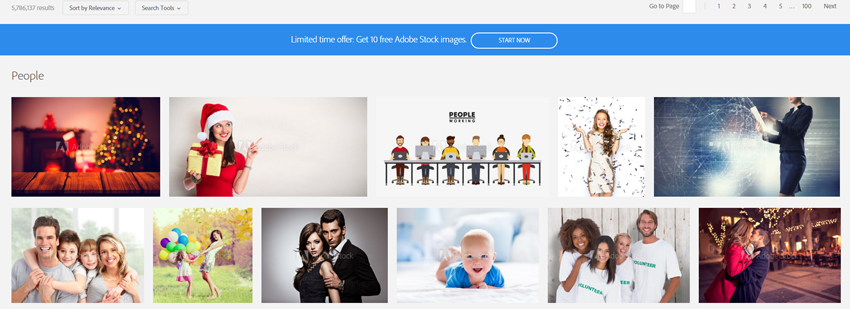
The offer is available to new subscribers of the Adobe Stock 10 images per month plan. It can also be added to your existing Creative Cloud plan. It is limited to 1 customer per offer and requires a 12 month subscription. You need to be at least 18 years old to be eligible. The offer is not available to OEM and volume licensing customers, and residents of embargoed countries as well. More importantly, it expires on April 30, 2025 so you need to hurry and start your free month now.

When you subscribe to Adobe Stock annual 10 images per month plan, you will be given access to the stock site’s vast collection where you can download and use 10 images per month. You can also purchase additional images at $2.99 each if you need more images than the allowed downloads. You do not have to worry about unused downloads, too. Up to 120 of your remaining downloads can be rolled over to the next month.

By clicking this link, you will receive a one-month refund on Adobe Stock when you subscribe to its 10 images a month annual plan. The subscription is cancel risk free on the first month, enough time to determine whether the website suits your creative needs or not. At the end of your offer term, you will be charged with standard subscription rates automatically.

Summary of Features and Benefits of the Limited Time Offer:

The annual subscription plan required to avail the offer provides great features and benefits. For only $29.99 per month, you can download 10 images a month, purchase additional images at $2.99 each, and rollover unused downloads to the next month. Along with these, you also get to enjoy:

  • 10 free Adobe Stock images
  • Cancel risk free on the first month
  • Refund on the first month

What are you waiting for? Take advantage of the offer before it ends. Keep in mind that the offer expires on April 30, 2025. You need to start your free month now to get the rare opportunity of experiencing Adobe Stock for free. Find out if the stock photo website suits your creative needs without commitment. Subscribe and get a refund on the first month today!